

Super Dispatch API Access
To get access to the Super Dispatch API, first ensure API access is included in your subscription, then request credentials from their support team.How to Obtain API Access
1
Verify Subscription
The Shipper API is normally available for $250/month. When used through BeRocker, this fee
is waived — giving you full API access at no additional cost.
2
Request Credentials
Contact Super Dispatch technical support to receive your
ClientID and ClientSecret.Contact Super Dispatch Support
- Email:
support@superdispatch.com - Phone:
+1 (816) 974-7002 - In-App: Use the chat icon in the bottom-right corner of the Carrier TMS or Shipper TMS dashboard.
Add Credentials in BeRocker
1
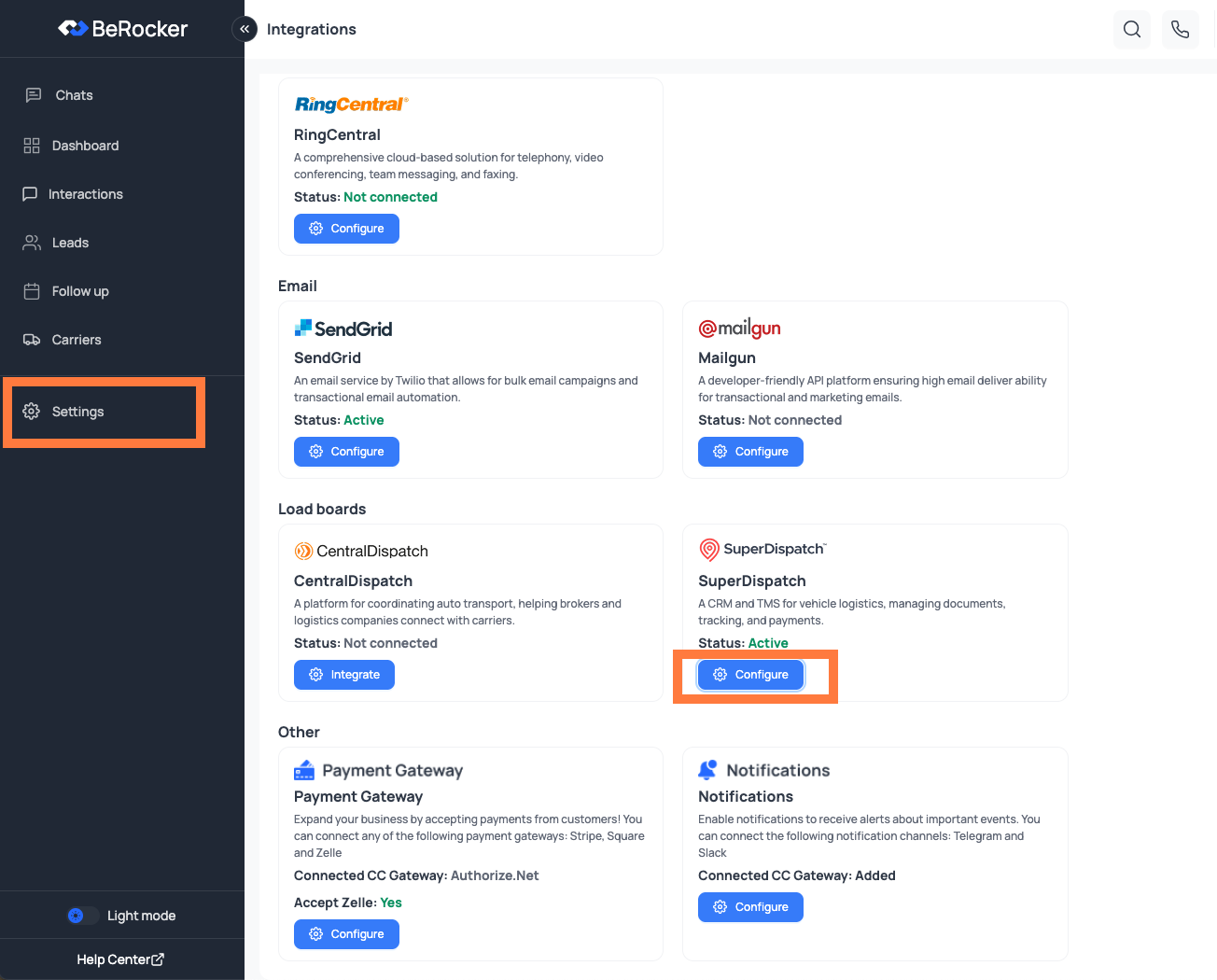
Open Super Dispatch Integration Settings
In BeRocker, go to
Settings -> Integrations -> Super Dispatch.2
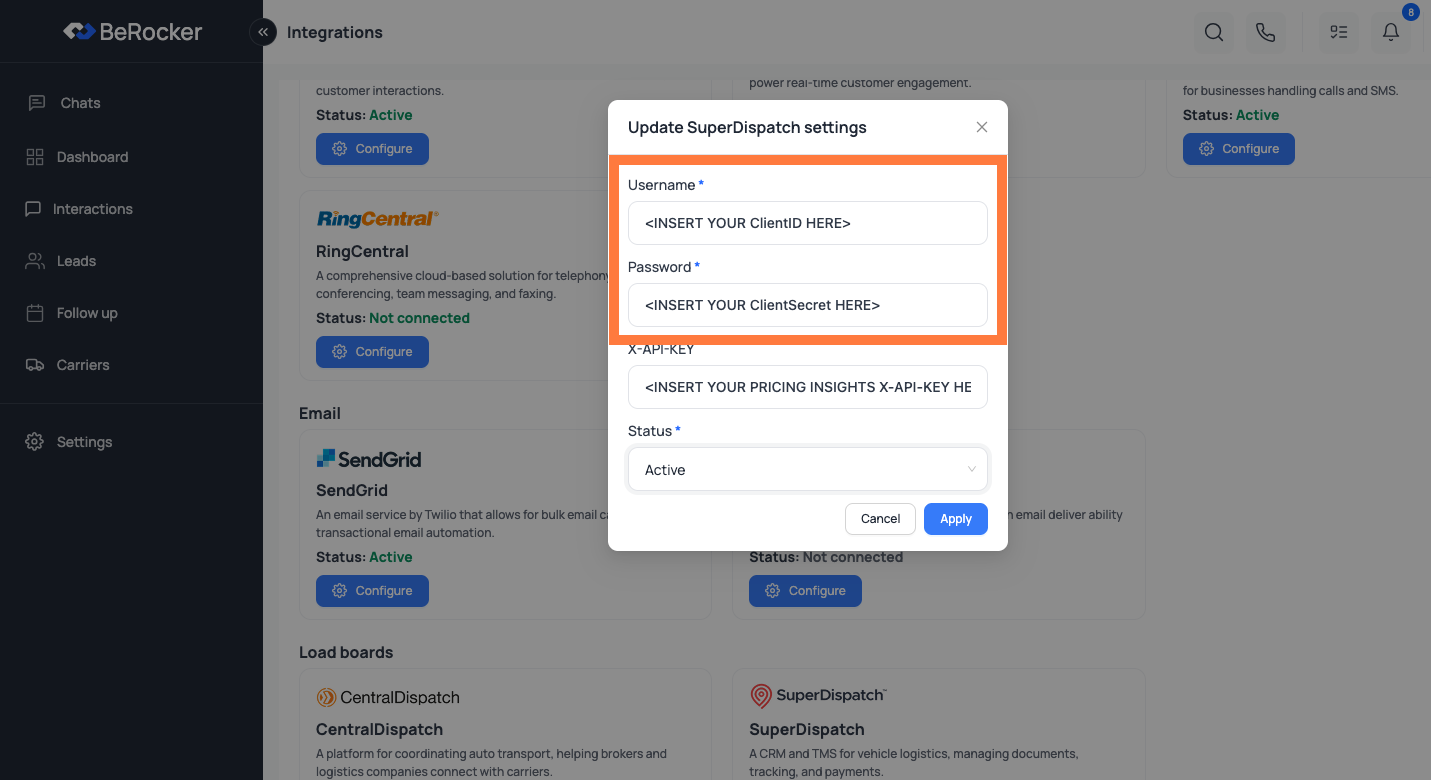
Enter API Credentials
Map the fields as follows:
- Username: Enter your
ClientID - Password: Enter your
ClientSecret
Pricing Insights (Optional)
X-API-KEY is used for Super Dispatch Pricing Insights service.
If you have this subscription (or want to request it), contact Super Dispatch using the same support channels above, then enter your key in the X-API-KEY field.
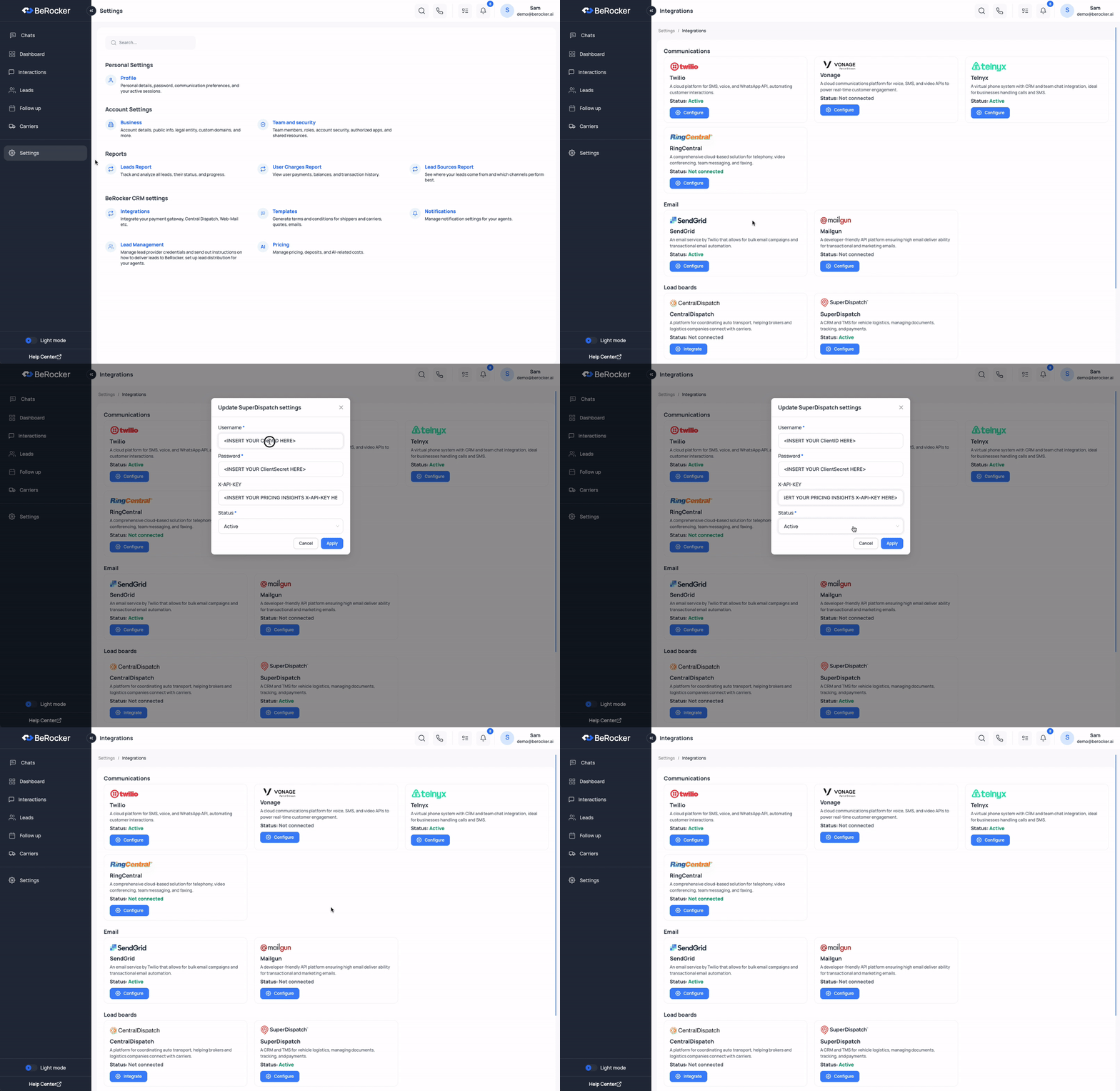
Integration Walkthrough
We value the work Super Dispatch does for the industry and are proud to integrate with their
platform.
What you get once it is connected
Then configure the behaviour
Posting behaviour is separate from the connection. In Carriers and Loadboards you decide:- Whether to unpost from the other loadboard once a carrier is secured (recommended on).
- Whether to auto-import Super Dispatch orders worked outside the CRM (off by default — it can add a lot of orders).
- Whether Super Dispatch price updates are applied to the CRM (off by default; either way the change is recorded on the lead’s timeline).
Need Help?
If you have any questions, contact the BeRocker team through your Slack support channel, call302-313-0966, or email info@berocker.com.
Carriers and Loadboards
Unposting, order import and price updates.
Dispatch
Live GPS and the SD Requests queue.