

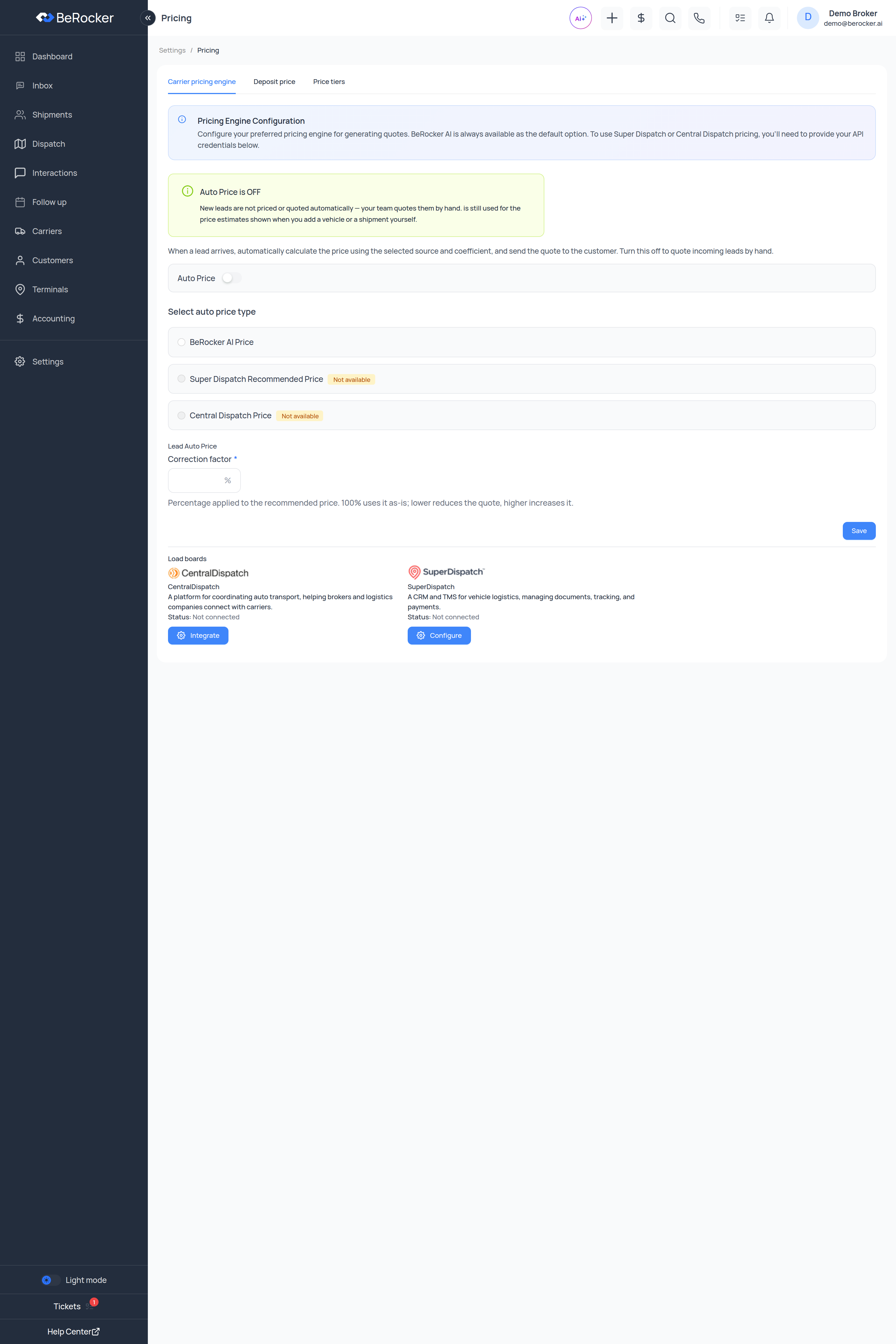
Carrier pricing engine
Configure your preferred pricing engine for generating quotes. BeRocker AI is always available as the default option. To use Super Dispatch or Central Dispatch pricing, you’ll need to provide your API credentials.
Auto Price
When a lead arrives, automatically calculate the price using the selected source and coefficient, and send the quote to the customer. Turn this off to quote incoming leads by hand.The page tells you plainly which mode you are in:
- Auto Price is ON — new leads are priced and quoted automatically.
- Auto Price is OFF — “New leads are not priced or quoted automatically — your team quotes them by hand.” The engine is still used for the price estimates shown when you add a vehicle or a shipment yourself.
Choosing an engine
Connect them in Integrations.
Correction factor
Percentage applied to the recommended price. 100% uses it as-is; lower reduces the quote, higher increases it.At 100% nothing changes. Set 110% and the app spells out the effect for you with a worked example — a $1,000 recommendation becomes $1,100.
Enclosed transport multiplier
Shown when Super Dispatch is your engine. Super Dispatch returns one open-trailer price, and the enclosed quote is derived by multiplying it by this coefficient (between 0.1 and 10). There is a sample-price box so you can see what any multiplier does before saving. This setting is saved independently of Auto Price.The bottom of this tab also shows the Load boards cards, so you can connect Super Dispatch or
Central Dispatch without leaving the page if their price is showing as Not available.
Deposit price
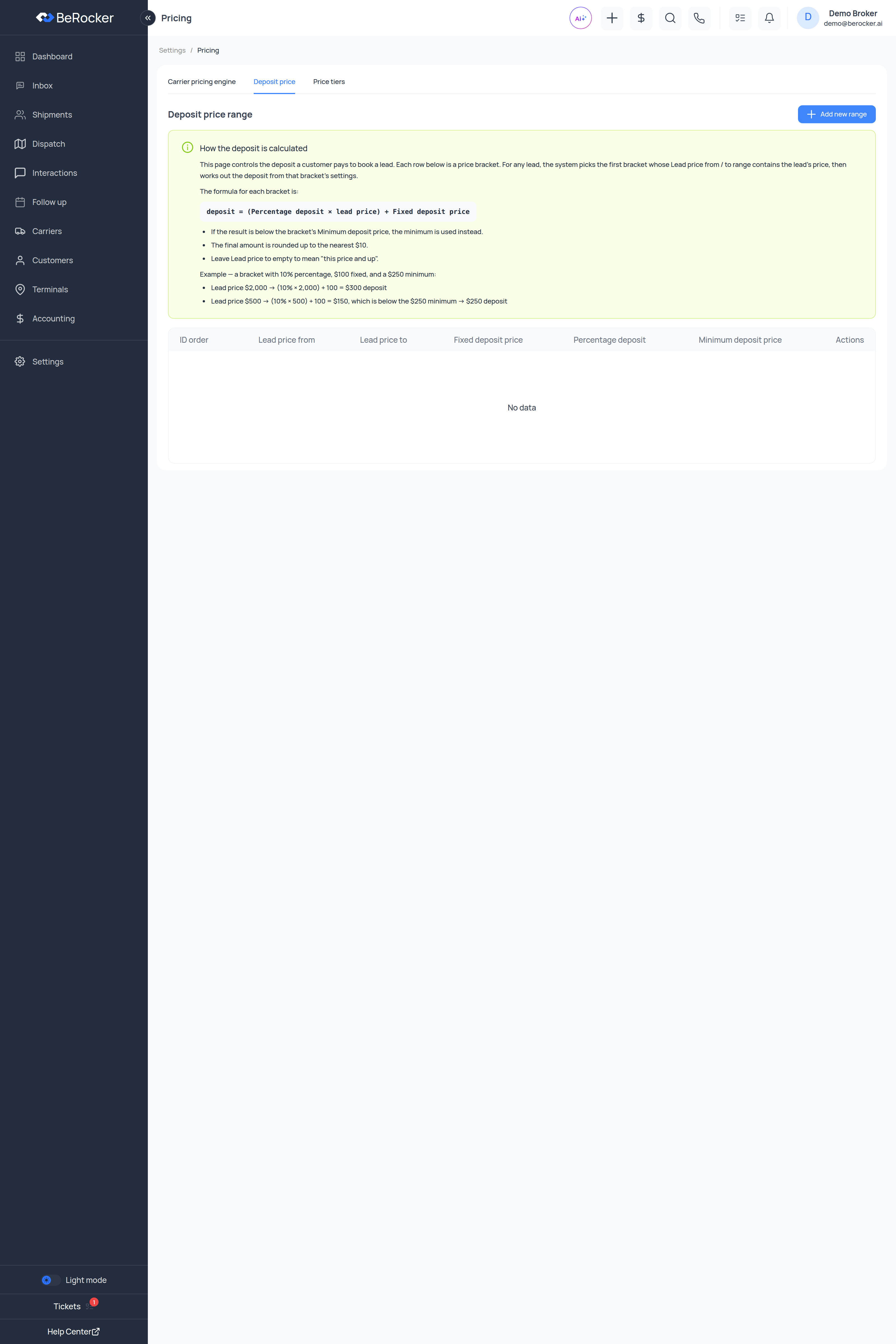
This page controls the deposit a customer pays to book a lead. Each row is a price bracket. For any lead, the system picks the first bracket whose Lead price from / to range contains the lead’s price, then works out the deposit from that bracket’s settings.The formula for each bracket is:
Add new range creates another bracket.
Worked example
A bracket with 10% percentage, $100 fixed and a $250 minimum:The final amount is rounded up to the nearest $10.
Price tiers
Offer your customers three price options instead of one — for example Standard, Rush and Expedited.When enabled:
- The booking page shows all three options.
- The lead view gets a tier switcher.
- The Update Price form lets you edit all three tier prices independently.
How the tiers get their numbers
1
Tier 1 is calculated
A new lead’s Tier 1 gets the automatically calculated price — auto price + correction factor +
deposit.
2
Tiers 2 and 3 are seeded from it
Using the price markup percentages you set here.
3
After that every tier is independent
You can edit each tier’s price and deposit on the lead without affecting the others.
4
The customer picks one
On the booking page. The lead then keeps exactly one effective price — the selected tier’s.
Related
Booking page
Where tiers and deposits are presented.
Templates
The quote message that carries the price.
Super Dispatch
Needed for its recommended price.
Central Dispatch
Needed for its price.