

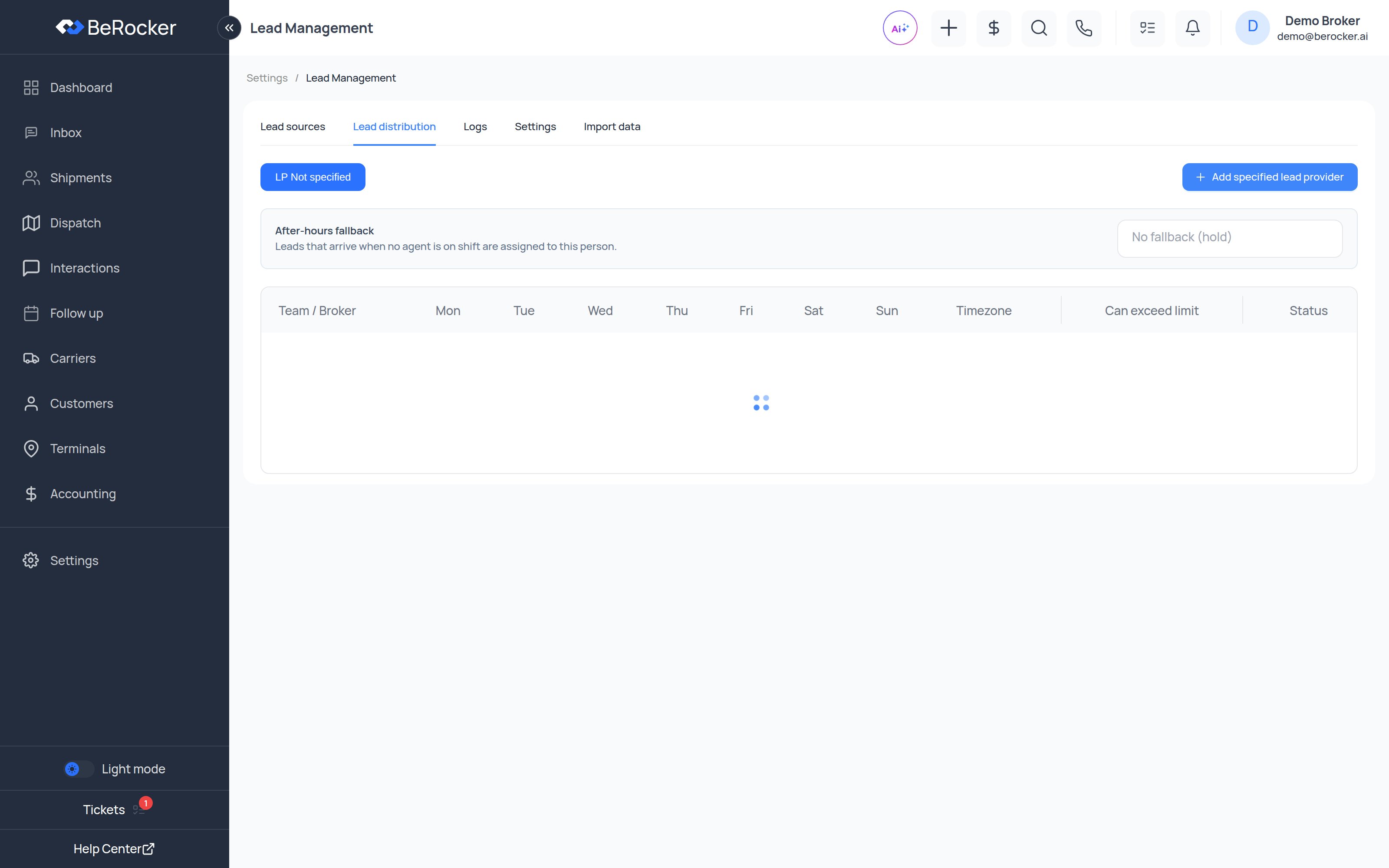
The table
One row per Team / Broker, one column per day: Mon · Tue · Wed · Thu · Fri · Sat · Sun · Timezone · Can exceed limit · Total leads · Status Each day cell is that agent’s leads per day quota.A quota of 0 means that agent gets no leads that day. That is how you exclude someone without
deactivating them.
Working hours per day
Click a day cell and you get a small panel with:
Under each cell you will see either
24h or the window you set, so the rota is readable at a
glance.
Timezone is per agent — someone working from another state gets leads during their hours.
Leave it blank to use the organization default.
Can exceed limit
Ticked, an agent can be given leads beyond their daily quota when volume spikes and nobody else is available. Unticked, the quota is a hard ceiling.After-hours fallback
Leads that arrive when no agent is on shift are assigned to this person.Pick a user, or leave it as No fallback (hold) and leads wait until someone comes on shift.
Filtering by lead source
If you buy leads from several providers and want them to go to different people:1
Filter by lead source
Use the Lead source filter above the table to switch to one provider.
2
Set quotas for that source only
Set 0 for the agents who should never get that provider’s leads, and a real quota for the ones
who should.
3
Repeat per source
Each source keeps its own rota.
Status
The per-row status switch turns distribution on or off for that agent without touching their quotas — useful for holidays. The Leads toggle on the People list in Team and security does the same thing from the other screen.Setting it up for a new agent
Distribution is step 4 of the Add user flow, so a new agent gets a rota at the moment you create them. See Team and security.Video: users, teams and lead distribution
Related
Lead sources
Where the leads come from.
Team and security
The agents being assigned to.