

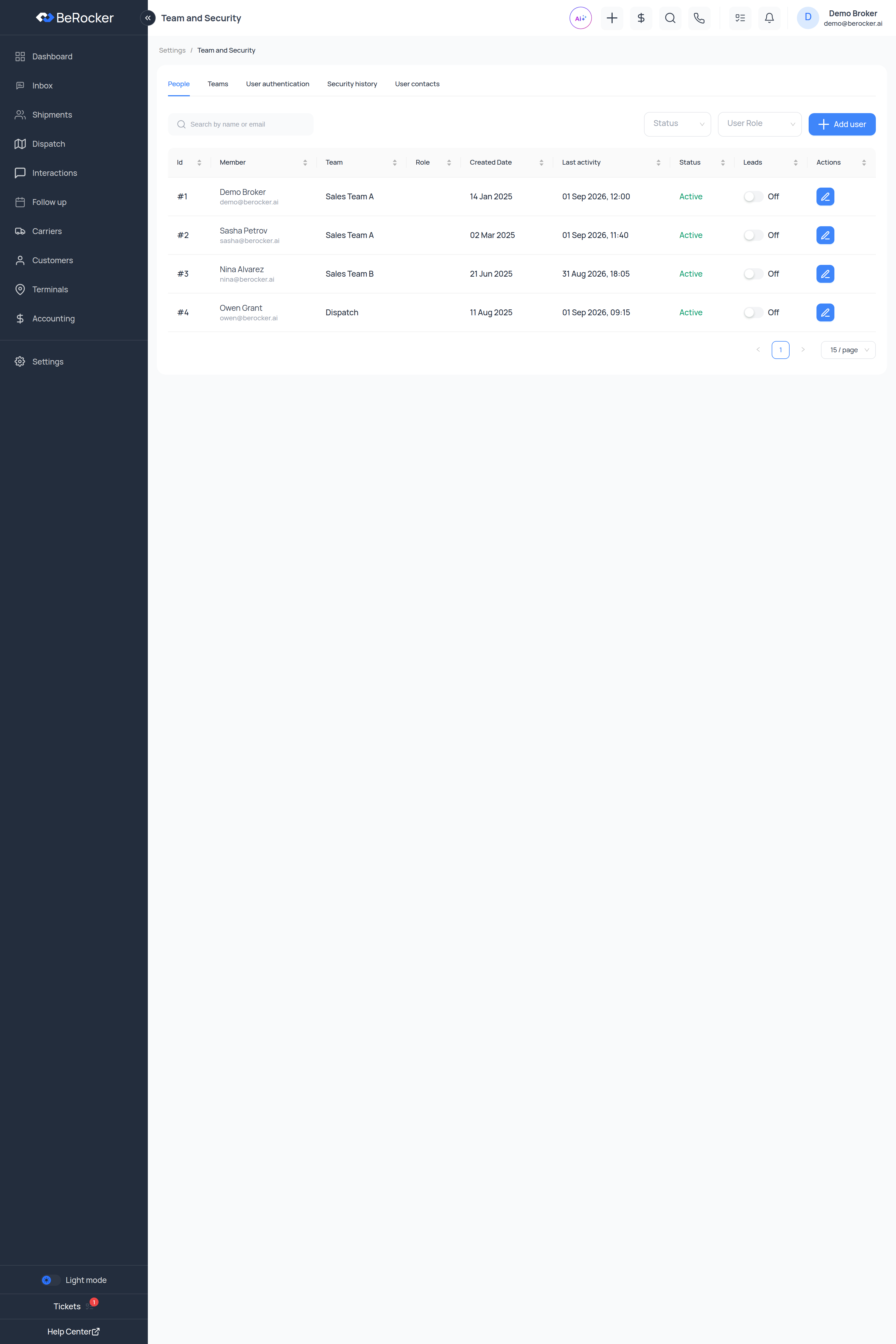
People
Every user, with their team, role, created date, last activity and status. The Leads toggle on each row turns lead assignment on or off for that person without deactivating their account — use it when someone is on holiday. Search by name or email, or filter by status and role.Adding a user
Add user walks through five steps. You cannot skip ahead; each one has to be valid first.1
User
- Email — their login.
- Name and Profile name — the profile name is what customers see on messages.
- Profile password — their first password.
- Team — pick one or create one.
- Role — Admin, Manager, Team lead, Broker or Dispatcher.
- Timezone.
- Is 2FA — require two-factor for this person.
2
Salary
How this user gets paid:
- Fixed amount — a base salary or monthly fee. Leave it at 0 if they are commission-only.
- Percent amount — straight commission percentage.
- Shareholding fee (%).
- Ranged commission — tiered payouts, entered as Range from / Range to rows.
For example: up to $2,000 → 20%, $2,001–$3,000 → 22.5%, above $3,000 → 25%.Add as many ranges as your commission plan needs.
3
Contacts
The numbers and addresses this agent will work from — the same shape as
Profile → User Contacts:Channel (Call, SMS, WhatsApp, Email), Provider, Contact, and
Default for this channel.A RingCentral number still has to be registered by the agent from their own Profile page
before it works.
4
Lead distribution
Leads per day for this agent, Monday to Sunday. See
Lead distribution for filtering by lead source.
5
Summary
Review and finish.
Roles
Roles carry a set of permissions, and permissions are what actually hide or show menu items and
buttons. If someone cannot see a screen, that is why.
Request a new role sends a support ticket describing what the role should do and which
permissions it needs — the BeRocker team sets it up for you.
Teams
Group users into squads. Create a team, Assign people to it, and Edit Members later. Teams are what the Dashboard’s team filter and per-team reporting run on.User authentication
Require two-step authentication for your team — an organization-wide switch that forces every user to set up 2FA.Security history
Sign-in sessions across the whole organization: who, from where, on what device, and when. Check it after any suspicion of a shared or leaked password. Individual users see their own sessions on their Profile page.User contacts
Every contact channel for every user in one table, so you can see at a glance who has no default SMS number and therefore cannot text anyone.Related
Lead distribution
Who gets which leads, and how many.
Profile
What each agent sets up themselves.
Billing
Seats are billed per user.
Reports
User charges per agent.