

What the automated messaging is doing right now — what is queued and roughly how long it will take to clear, how each sending number is really performing, and the limits behind both. Delivery figures count only messages the network gave a definite answer about, and how much of the traffic that was is shown beside them.
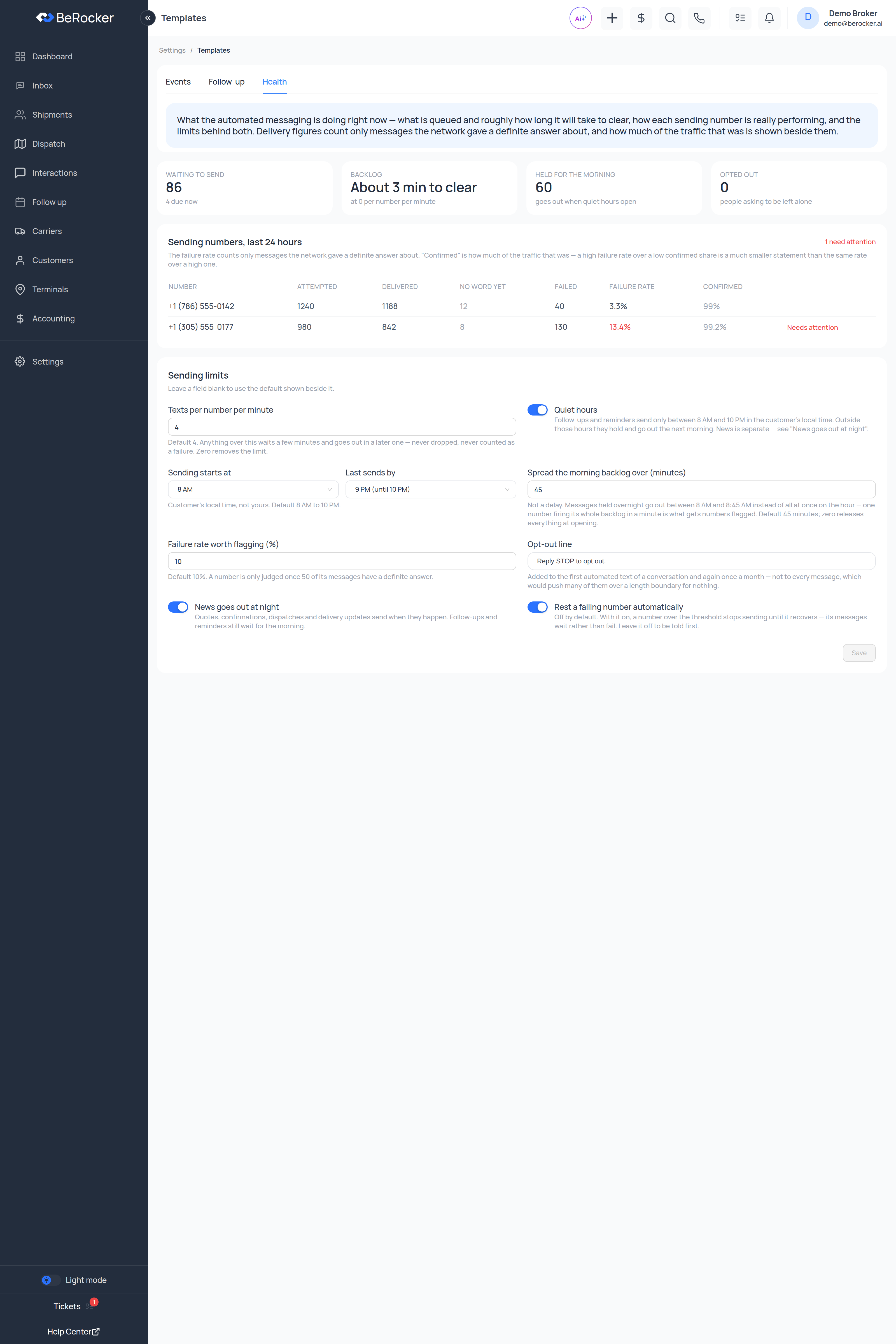
The four tiles
Sending numbers, last 24 hours
One row per number, with a “N need attention” counter in the corner.
A number in trouble is flagged Needs attention in red.
Read the two together, as the screen itself says:
The failure rate counts only messages the network gave a definite answer about. “Confirmed” is how much of the traffic that was — a high failure rate over a low confirmed share is a much smaller statement than the same rate over a high one.
Sending limits
Leave a field blank to use the default shown beside it.
Click Save when you are done.
”The texts are not going out”
Work down this list:1
Is it queued, or is it stuck?
Check Waiting to send and Backlog. If the backlog is shrinking, it is going out — just
not yet.
2
Is the quiet window holding it?
A large Held for the morning count means exactly that.
3
Is a number resting?
Look for Needs attention, and whether Rest a failing number automatically is on.
4
Is it the pace?
A low texts per number per minute with a big queue is slow by design. Backlog tells you
how slow.
5
Is the template even active?
Back to Templates — an inactive template never sends.
6
Does the sender exist?
No default SMS contact means nothing sends at all. See Profile.
Related
Templates
The messages themselves.
Email deliverability
The same problem, for email.