

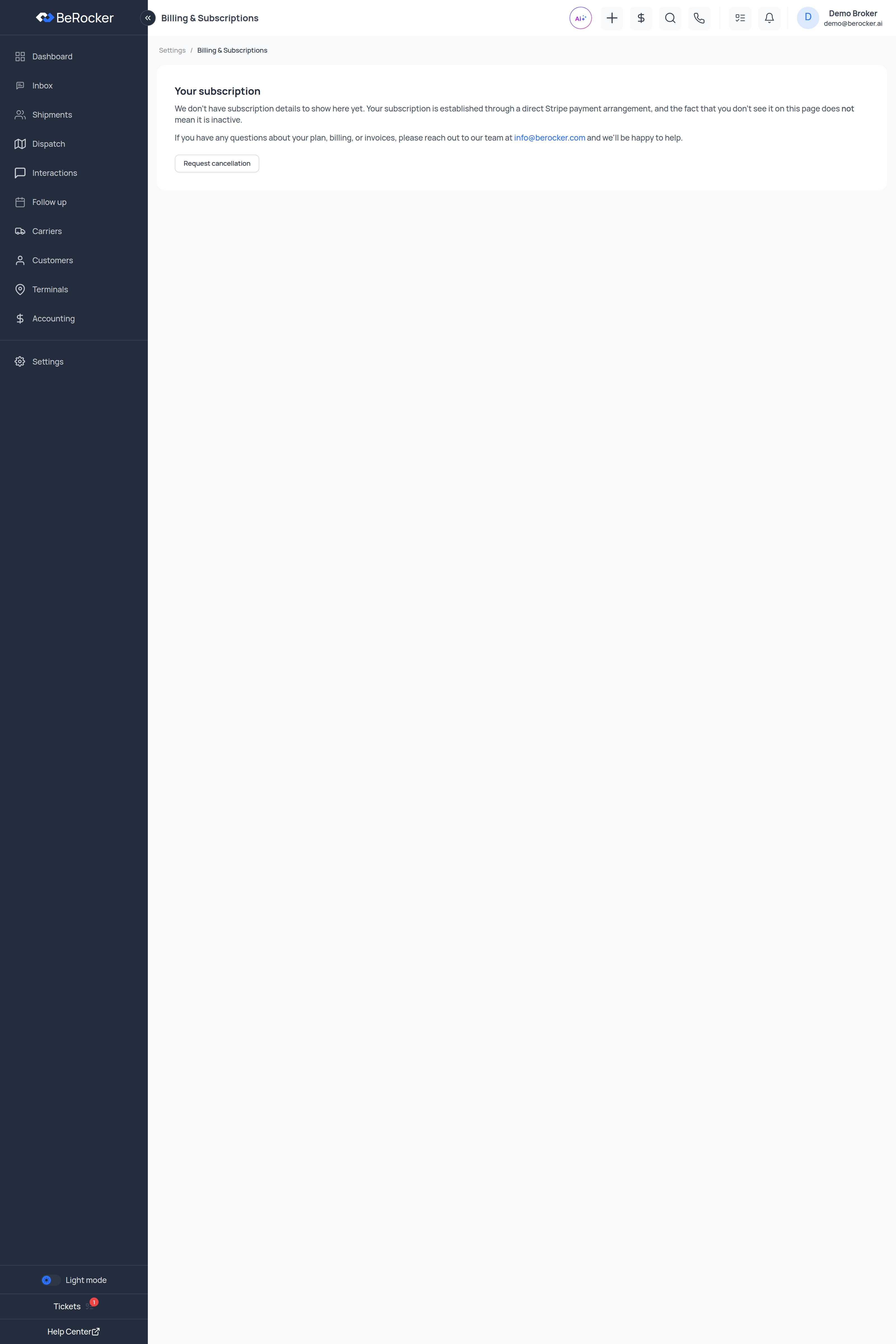
What you see here depends on how your account is billed. There are three cases:
- Self-serve subscription — the full page below: seats, estimated monthly, card on file and payment history.
- Direct arrangement — you will see “We don’t have subscription details to show here yet.
Your subscription is established through a direct Stripe payment arrangement, and the fact that
you don’t see it on this page does not mean it is inactive.” Nothing is wrong; billing is
handled outside the app. Questions go to
info@berocker.com. - Billing switched off — “Subscription billing is currently turned off for your account.” Nothing to do here.
Your subscription
On a self-serve subscription you get:Subscription states
Update card on file
Opens a secure card form. The card details go straight to the payment processor — BeRocker never stores your card number. Use it when the card expires, the bank reissues it, or a payment fails.Payment history
Every processed payment, with a Receipt link on each row. Draft and unpaid invoices are not listed, so everything here is money that actually moved.Request cancellation
Sends a cancellation request to the BeRocker team rather than switching your account off on the spot — so nobody loses access to live loads by mis-clicking. Someone will confirm before anything changes.Related
Team and security
Seat count comes from here.
Contact support
Anything billing-related a page cannot answer.