

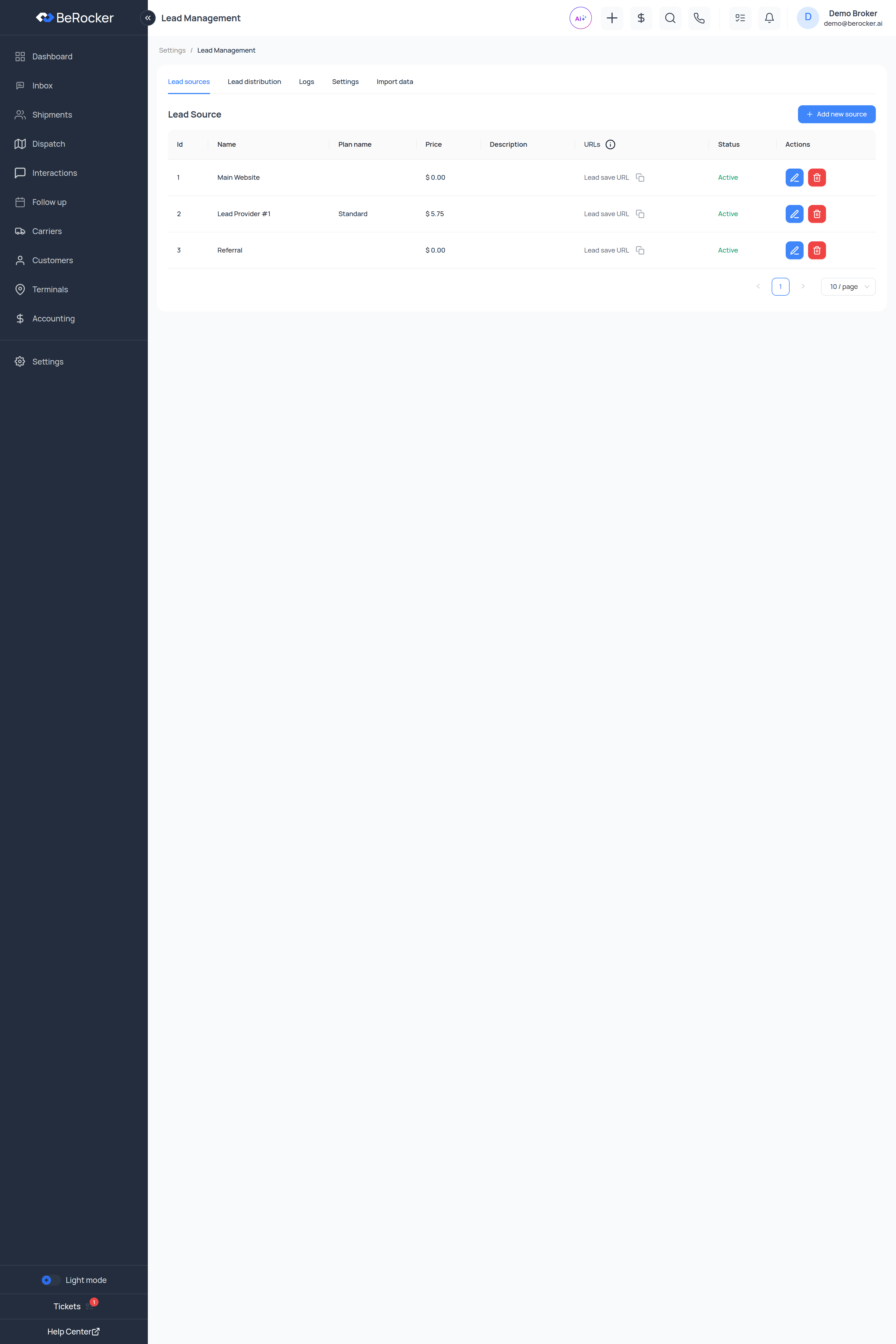
Adding a source
1
Click + Add new source
On the Lead sources tab.
2
Fill it in
3
Save, then copy the endpoint URL
The URLs column has a Lead save URL with a copy icon. That URL is what receives leads.
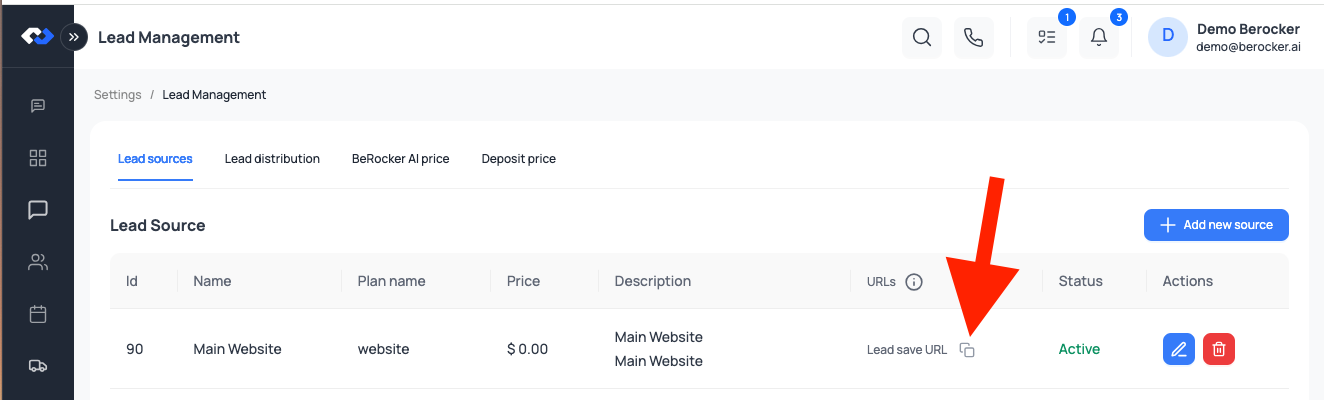
Each source has its own unique URL, so authentication is built in — there is no separate API key
to send. Some sources also expose a separate hot lead URL for providers that flag urgent
leads.
Why per-lead price matters
The Per Lead Price feeds every cost figure in the product:- Lead Cost and Return on Lead Spend on the Dashboard
- Cost / Booked Load
- The Lead Sources report — total charges, average charge and ROI
Status
Use Inactive while you are between contracts rather than deleting the source — deleting loses
the history behind your reports.
Logs
The Logs tab shows raw incoming lead payloads with source, customer, broker, events and the last replay. When a provider says “we sent it”, this is where you check.Settings
Lead numbering — the highest lead number used so far, so you can continue an existing numbering scheme when migrating from another CRM. Status mapping and Trailer type mapping translate a provider’s own values into BeRocker’s, so a provider that saysenclosed_trailer lands as Enclosed rather than as nothing.
Import data
Bulk import from a CSV file. Choose what you are importing — leads, customers or terminals — upload, and import another file when it finishes.Video walkthrough
Related
Lead source API
The payload format to POST.
Lead distribution
Who gets these leads.
Email parsing
For providers that email instead of POST.
Reports
ROI per source.