

We value the work Central Dispatch does for the industry and are proud to integrate with their
platform.
Before You Start
Make sure your Central Dispatch account is on the Premium plan.- The Central Dispatch API requires the Premium plan.
- The Core plan is not enough for full platform functionality.
- If you are currently on Core, upgrade to Premium before connecting in BeRocker.
Connect Central Dispatch to BeRocker
1
Open Integrations in BeRocker
In BeRocker CRM, go to
Settings -> Integrations.In the Central Dispatch section, click Integrate.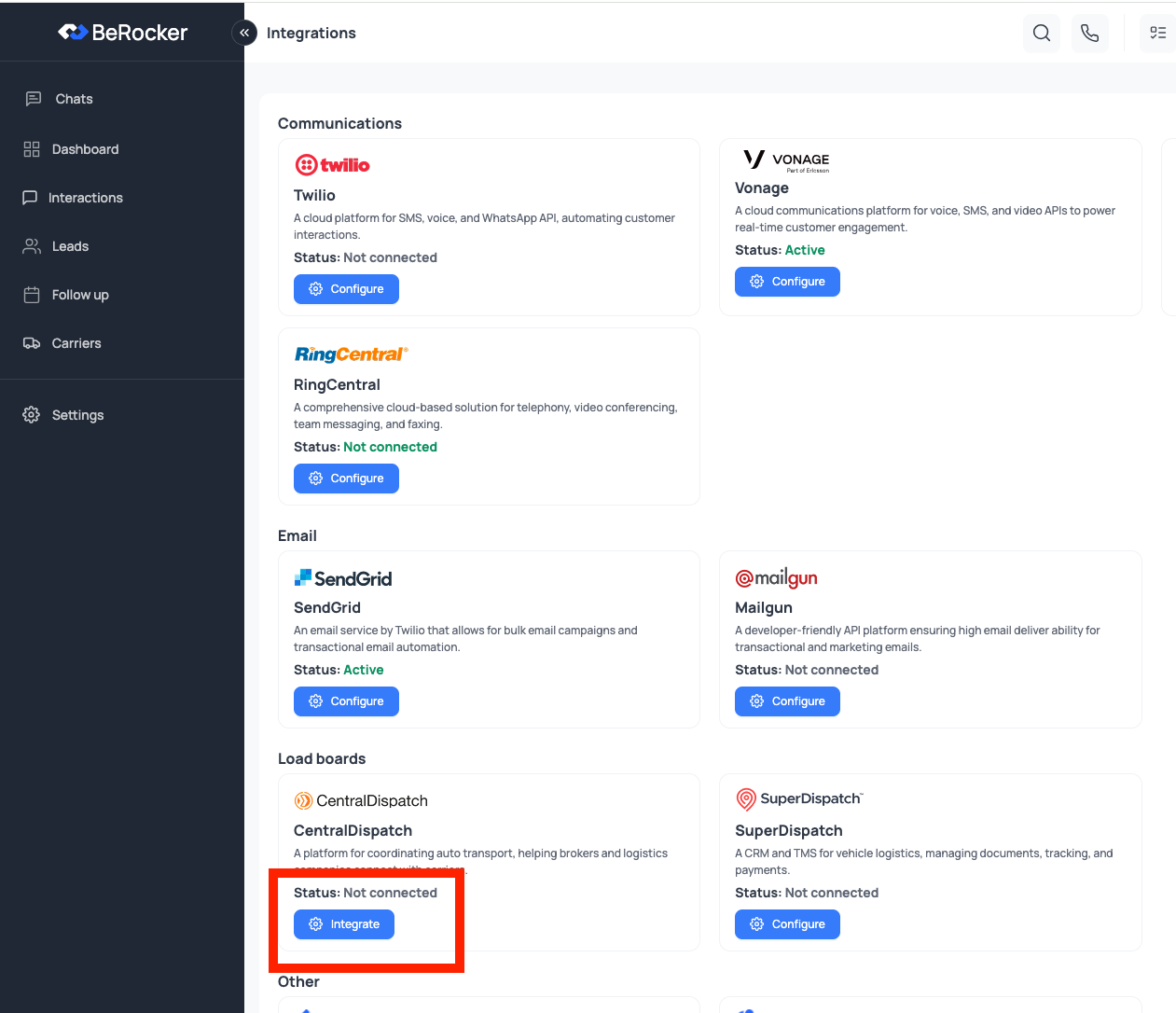
1
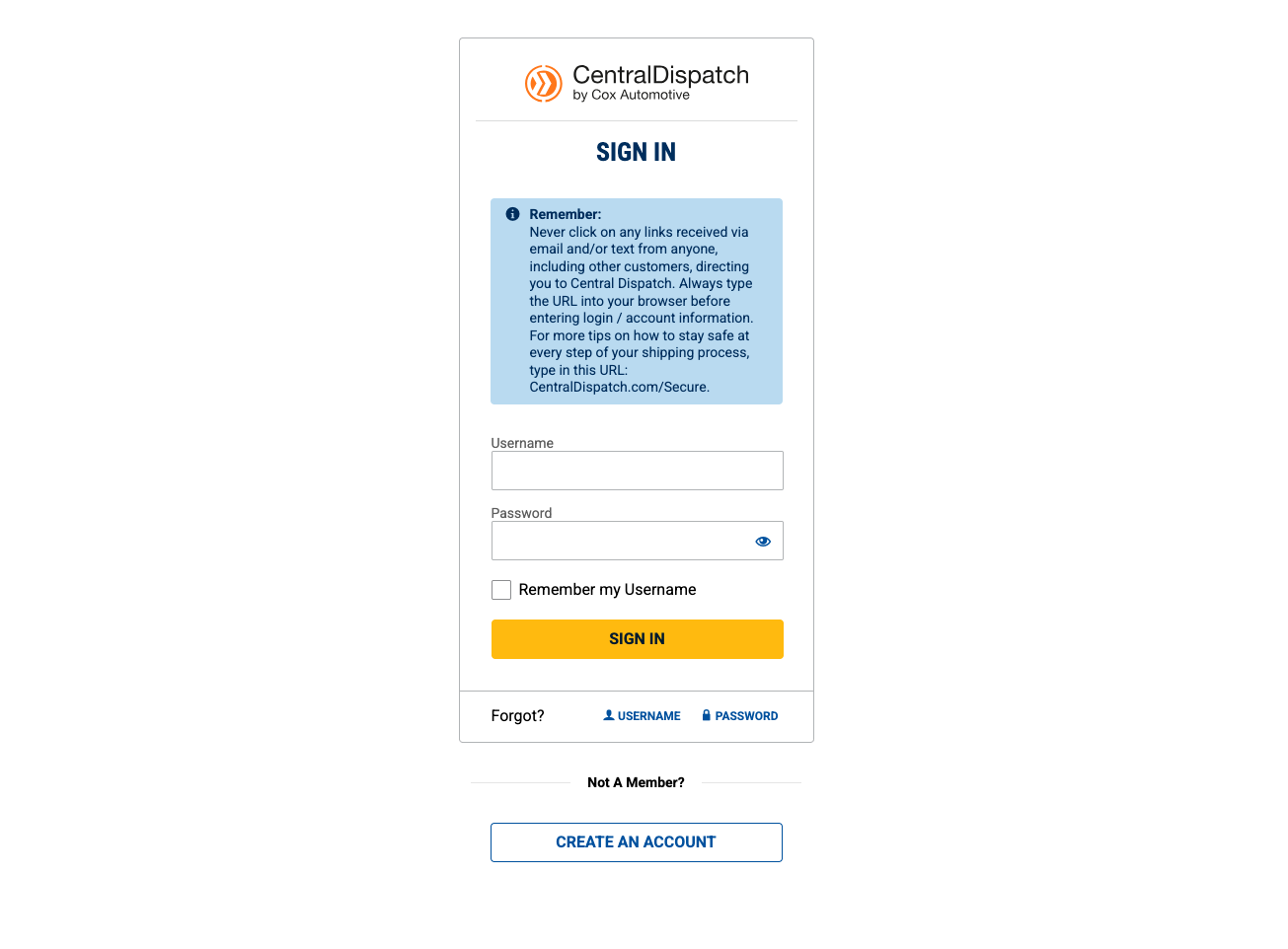
Sign In Through Central Dispatch OAuth
After clicking Integrate, you will be redirected to the Central Dispatch OAuth login page.Enter your Central Dispatch load board credentials and complete sign-in.
1
Return to BeRocker and Start Posting
After successful login, Central Dispatch redirects you back to BeRocker automatically.Your integration is now complete, and you can start posting to Central Dispatch.
What you get once it is connected
Then configure the behaviour
In Carriers and Loadboards:- Unpost from the other loadboard when dispatched — recommended on, so a load covered on Central Dispatch does not stay live on Super Dispatch.
- Apply Central Dispatch price updates — off by default. Either way, a price change on the board is recorded on the lead’s timeline with the old and new price.
Central Dispatch Support
If you encounter any issues with Central Dispatch or are interested in an Enterprise solution, contact the Central Dispatch team directly:- Phone:
800-928-7869 - Enterprise inquiries: Fill out their contact form to receive a response within 1-2 business days.
Need Help?
If you have any questions, contact the BeRocker team through your Slack support channel, call302-313-0966, or email info@berocker.com.
Carriers and Loadboards
Unposting and price updates.
Dispatch
Loads on the road.