

Add and register your number
1
Open your profile
Settings → Profile → User Contacts.
2
Add the number
+ Add user contact →
- Channel — SMS
- Provider — RingCentral
- Contact — your RingCentral number
- Status — Active
- Is Default? — tick it if this is your main line
3
Click Register
A Register button appears next to a RingCentral contact. Click it — a popup opens for you to
authorise the number on the RingCentral side.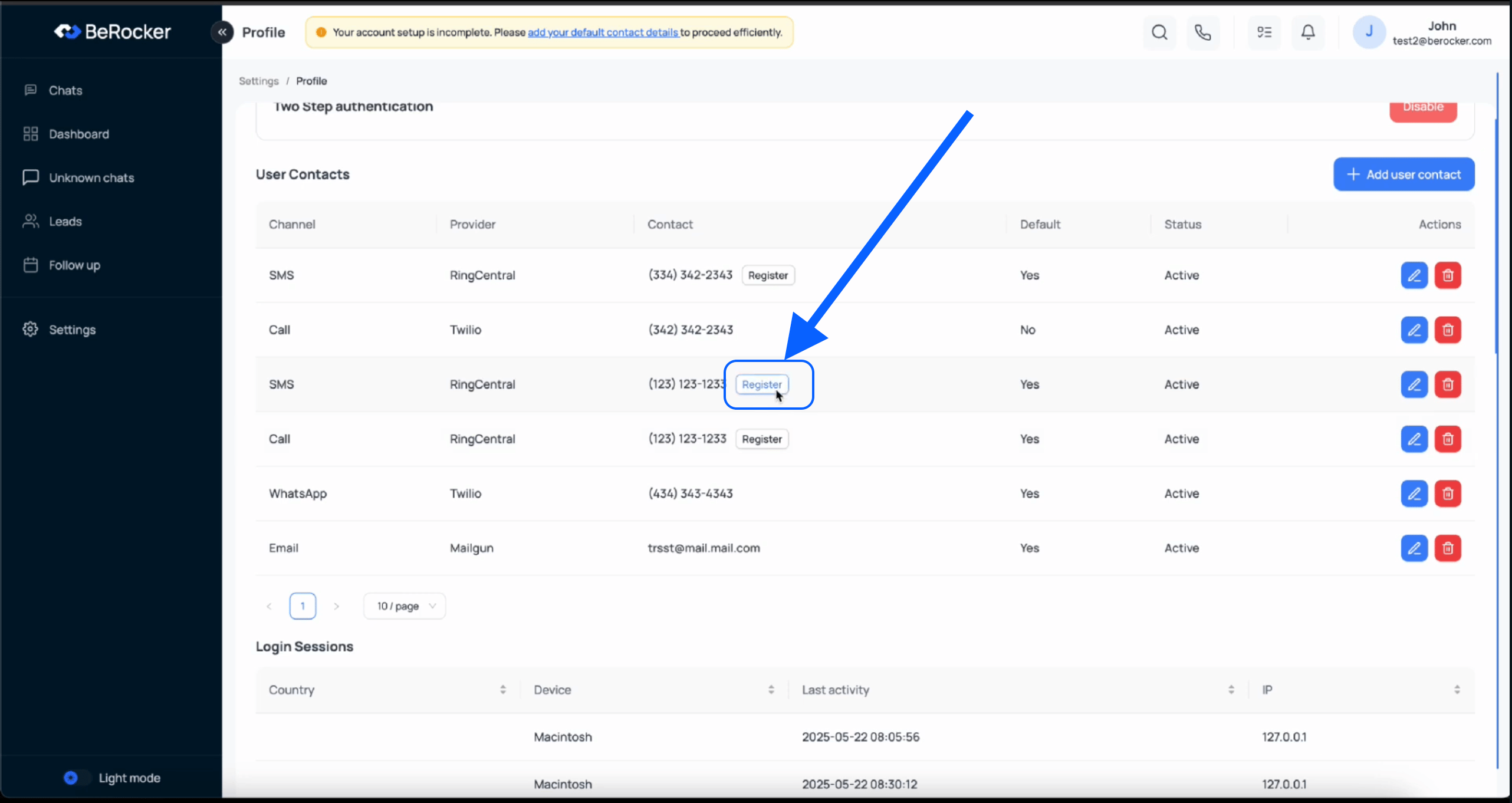
4
Check it took
The contact should no longer prompt you to register.
Step-by-step walkthrough
If it stops working
RingCentral authorisation can lapse. If calls or texts start failing for one agent:1
Check the number is still there
Settings → Profile → User Contacts.
2
Register it again
Click Register and complete the popup.
3
If the popup is blocked
Allow popups for
app.berocker.com and try again.An admin can see which agents have which contacts — and spot a missing one — from
Settings → Team and security → User contacts.
Mixing providers
You can use RingCentral for calls and something else for SMS. Each user contact picks its own provider, so this is a normal setup, not a workaround.Related
Profile
Where your contacts live.
Team and security
See every agent’s contacts at once.