

What BeRocker asks for
Connect it
1
Open Integrations
Settings → Integrations → Vonage → Configure.
2
Paste the three values
Set Status to Active and save.
3
Point your number at it
Settings → Profile → User Contacts → add your Vonage number with Provider = Vonage, once
with Channel = Call and once with Channel = SMS, and tick Is Default?.→ Profile
Adding a developer to your Vonage account
If the BeRocker team or your own developer needs access to set this up, invite them rather than sharing your login.1
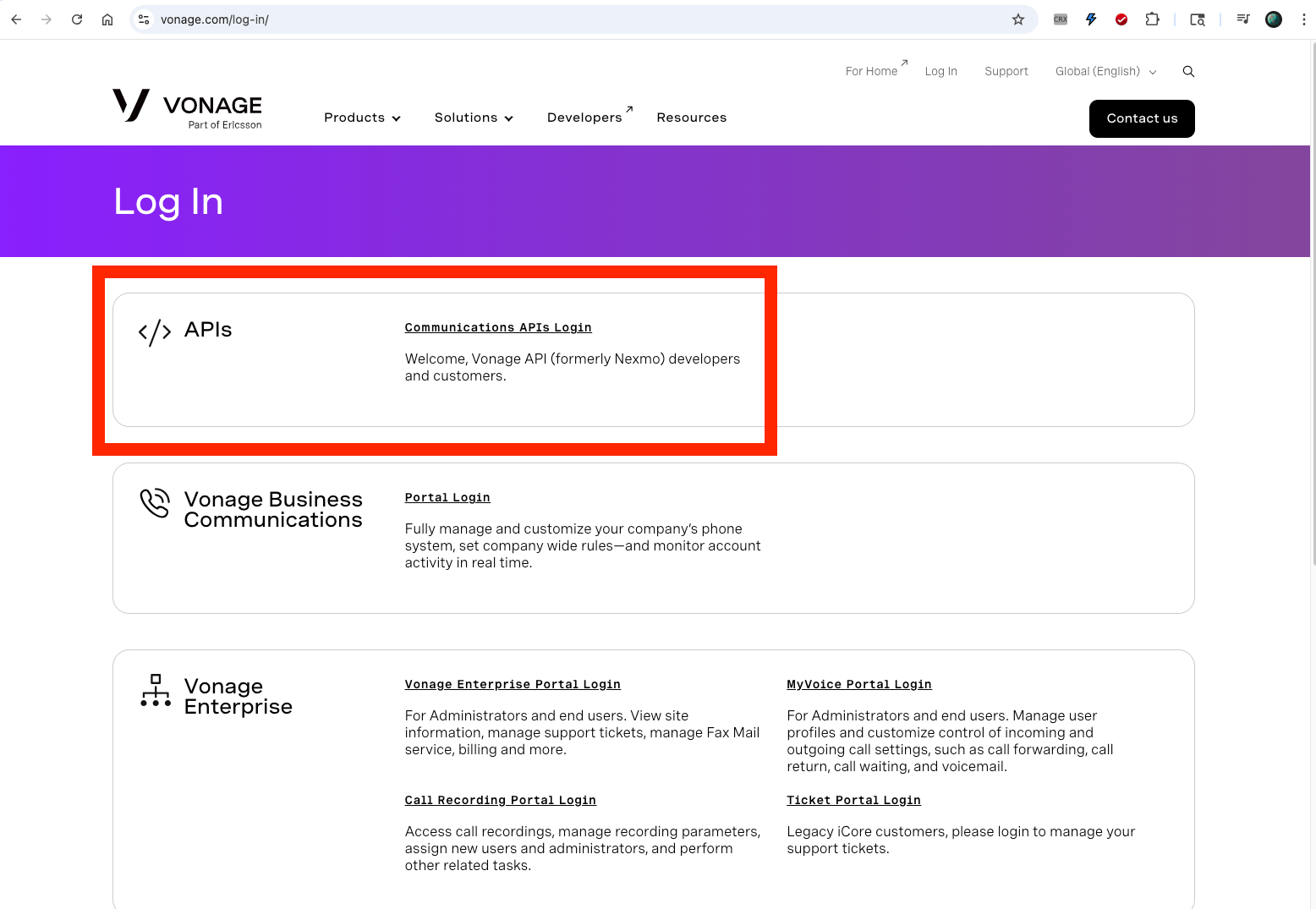
Log in to Vonage — Communications APIs
2
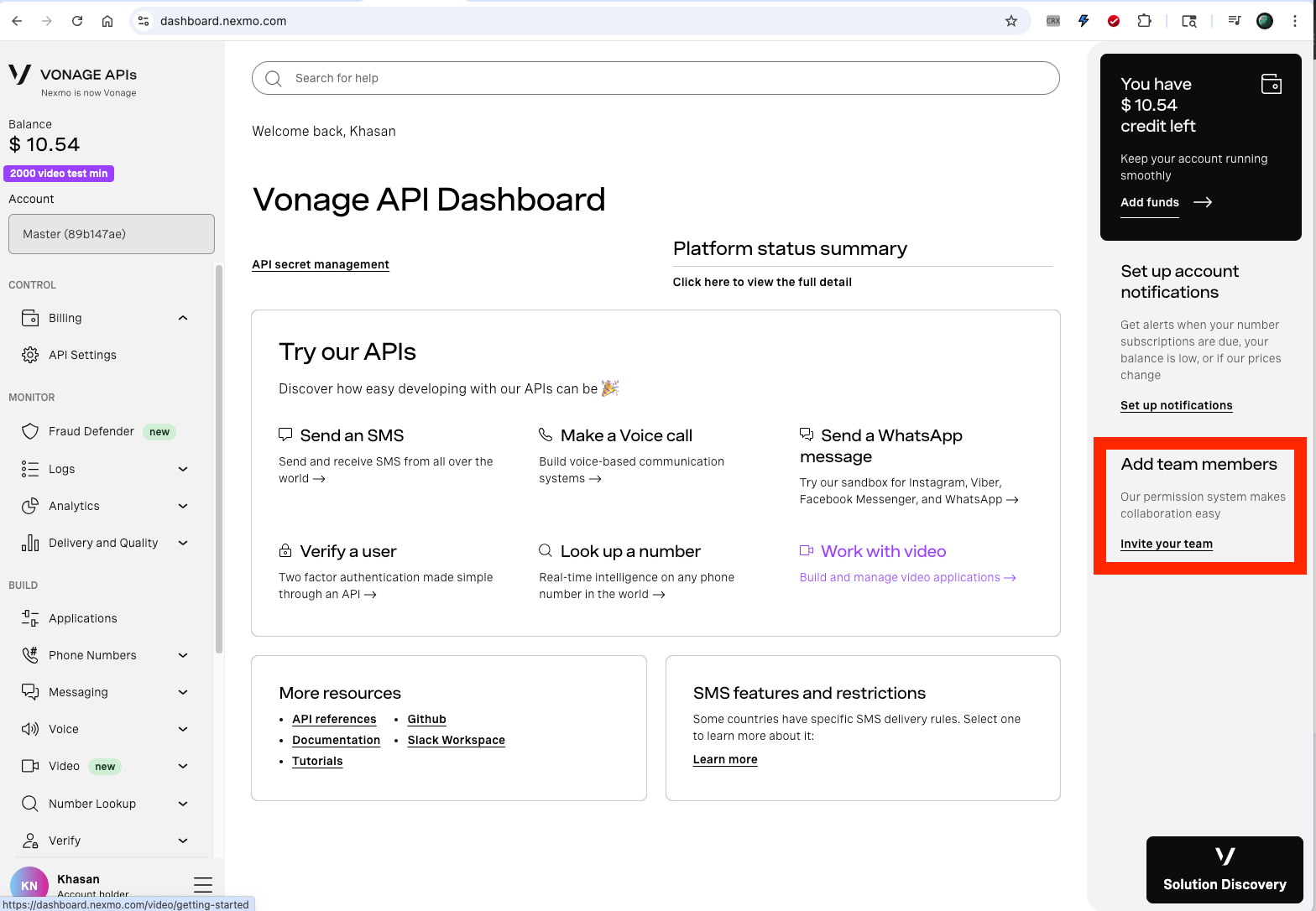
Go to the Home page and click "Invite your team"
3
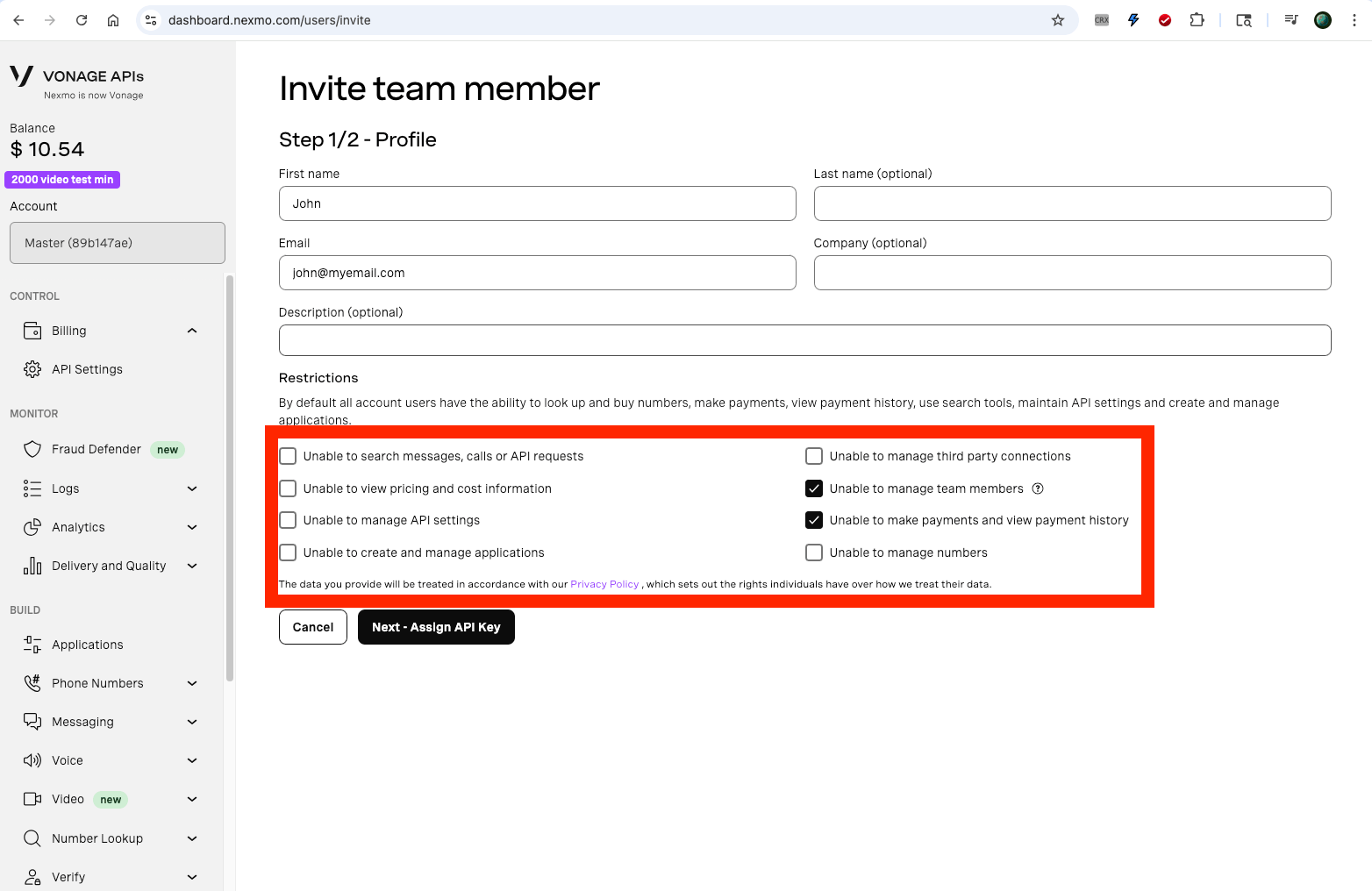
Add the user with these permissions
Before you send at volume
US application-to-person SMS needs 10DLC registration with Vonage, exactly as it does with every other provider. Unregistered traffic is filtered by the carriers, not by Vonage — the messages look sent and never arrive. Watch Messaging health after you start sending.Related
Integrations
All communication providers.
Messaging health
Delivery rates per sending number.