

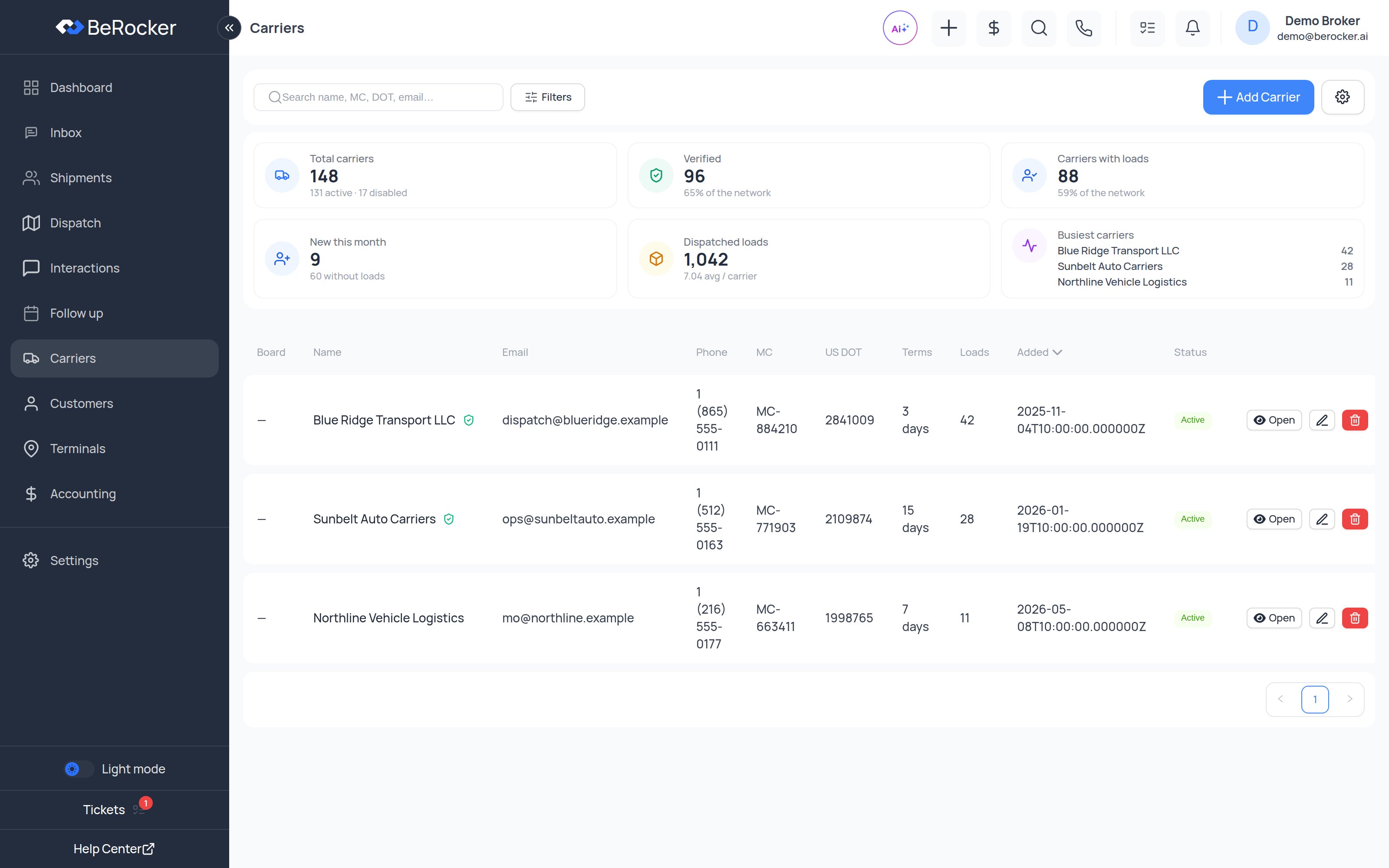
The list
The stats strip at the top counts your book: total, active, disabled, verified, new this month, how many have hauled for you, total loads and the average number of loads per carrier — plus your top carriers by load count. The table itself shows each carrier’s name and contact, MC and DOT numbers, status, payment terms and how many loads they have run for you. Sort by any column, or search by name, MC, DOT, phone or email.Verification
A carrier can carry a verification result from a LongMile check: a status, a score, a band and a recommendation, with the date it was checked. That check looks at federal records — authority, insurance, safety history, bond, and chameleon-carrier detection — and gives you a 100-point score so you are not deciding on gut feel. See LongMile.A carrier that has never been checked shows no verification, which is different from failing one.
The carrier profile
Open a carrier and you get five tabs:- Loads
- Profile
- Documents
- Due diligence
- Notes
Every load this carrier has hauled for you, with the rate paid and the outcome. Opens on this
tab, because it is the question you usually have.
Payment terms
Each carrier has a terms value in days — how long after delivery you pay them. It is set on the Profile tab and is used as the default when you post a load with that carrier. Amounts owed and paid are tracked in Accounting.Related
Dispatch
Where the loads these carriers are running show up.
Carriers and Loadboards
Posting, unposting and order import settings.
Central Dispatch
Connect the board.
Super Dispatch
Connect the board.