

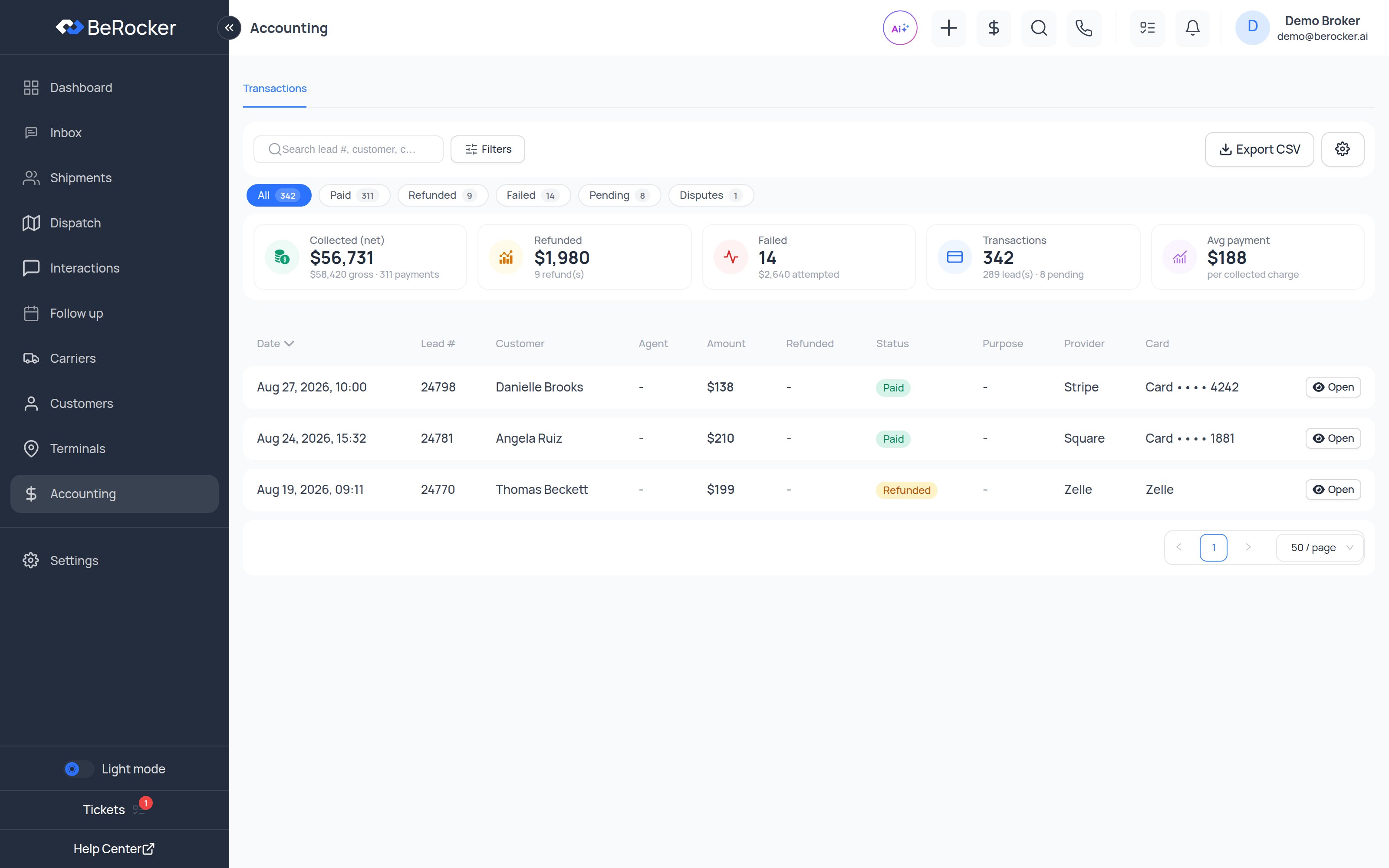
The stats strip
Gross minus net is the processor’s cut. If that gap looks wrong, check which processor is default
in Payment gateways.
Transaction statuses
What each charge was for
This mirrors the shipment’s payment plan: Reservation only (deposit now, balance to the carrier
on delivery) or Full payment.
Card payments vs recorded payments
Two different things live in this table. Card processors actually charge the customer: Stripe, Square, Authorize.Net and RevitPay. To have these payments land in your books as well, connect QuickBooks. Manual methods are record-only — the customer sends the money themselves and an agent records it with a receipt attached. Nothing is ever charged: Zelle, Venmo, PayPal, Cash App, and Other for anything else (wire, check, cash, a regional app).Filtering and exporting
Search by lead #, customer, card or comment; filter by status, purpose, provider, agent, date range and an amount range (Min ); then Export CSV. Manage columns chooses what the table shows — lead #, customer, date, amount, net, charged with fee, status, purpose, provider, agent, card, comment, last activity and more. Open any transaction for the full detail, including the shipment it belongs to, the cardholder and billing address, the gateway ids and the fee breakdown.Processing fees on credit cards
If your organization passes the card processing fee on to customers, it can only be charged on credit cards and waived for debit and prepaid — and that requires a processor that reports how a card is funded. Stripe, Square and Authorize.Net do. Other processors do not, so the customer-facing wording must not promise the debit waiver when one of those is your default.Related
Payment gateways
Connect and choose your default processor.
Pricing
Deposit amounts and fee ranges.
Dashboard
The same money rolled up into KPIs.
Reports
User charges and lead-source reports.