

What to do
1
Open Settings → Profile
Check your name, display name and email under User Info. Your display name is what
customers see on messages.
2
Add your contact channels
Under User Contacts, click + Add user contact and add one entry per channel:
- Channel — Call, SMS, WhatsApp or Email
- Provider — Twilio, RingCentral, Telnyx, Vonage, Quo, Zoom Phone, SendGrid, Mailgun, Gmail
- Contact — the number or address
- Is Default? — tick it for your main line on that channel
3
Register RingCentral numbers
If your provider is RingCentral, click Register next to the number and complete the popup.
Without it, calls and texts through RingCentral will fail.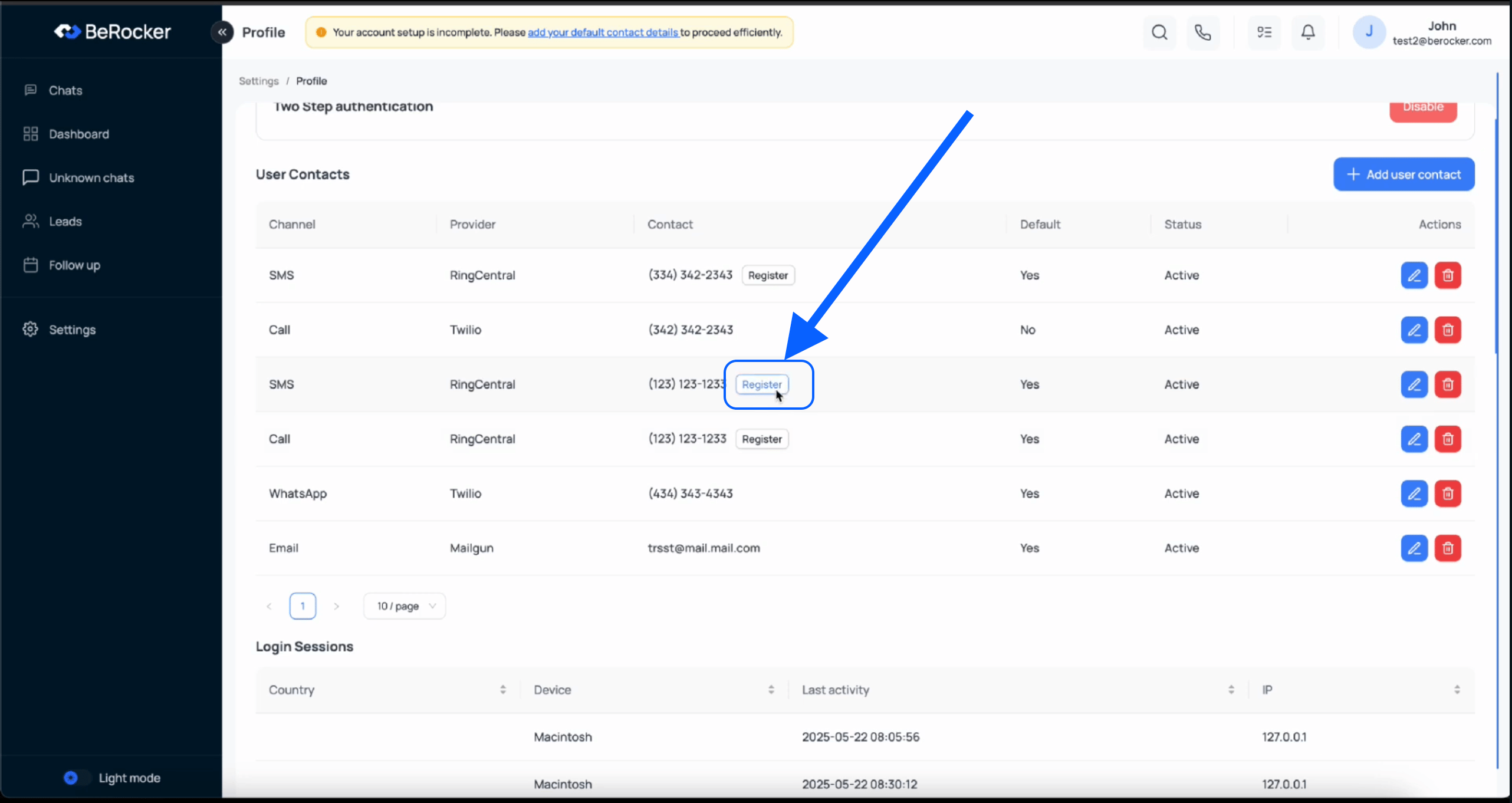
4
Enable two-factor authentication
Optional unless your company requires it — but recommended.