The layout
Tour the CRM
Every screen, what it is for, with pictures.
The lead pipeline
How a lead becomes a load
New → Order → Signed → Paid → Posted → Dispatched → Picked Up → Delivered → Completed.
The conversation screen
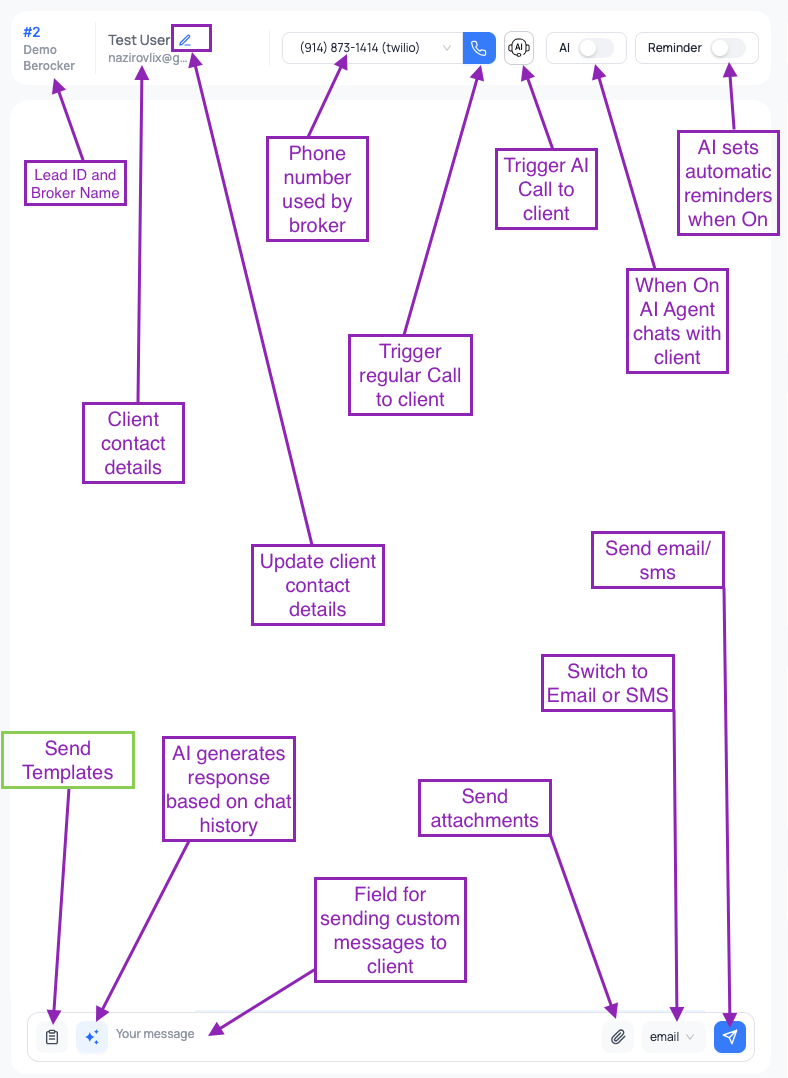
This is where your team will spend most of the day, so it is worth knowing well.The chat window
The chat window
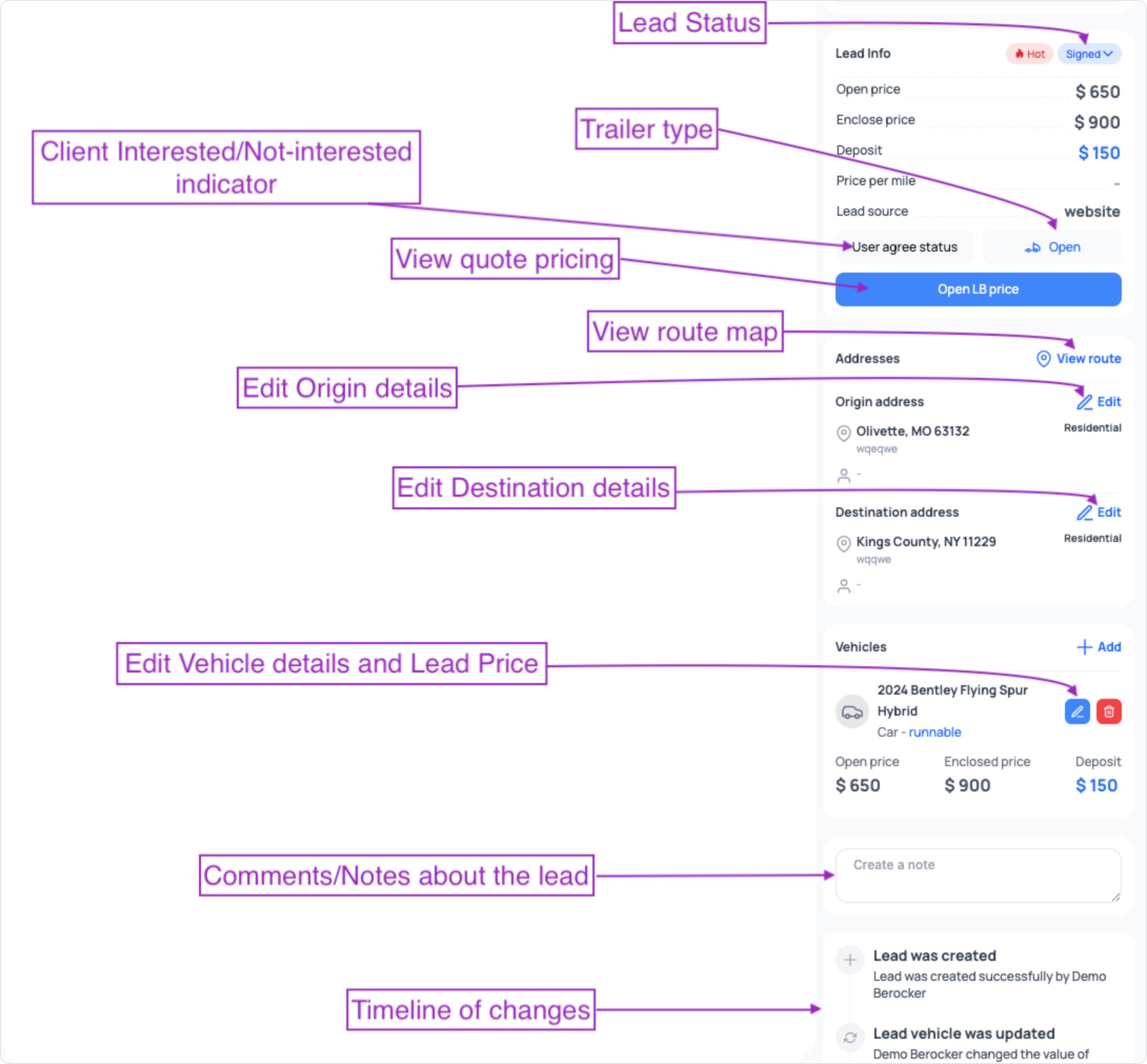
Lead panel — Details tab
Lead panel — Details tab
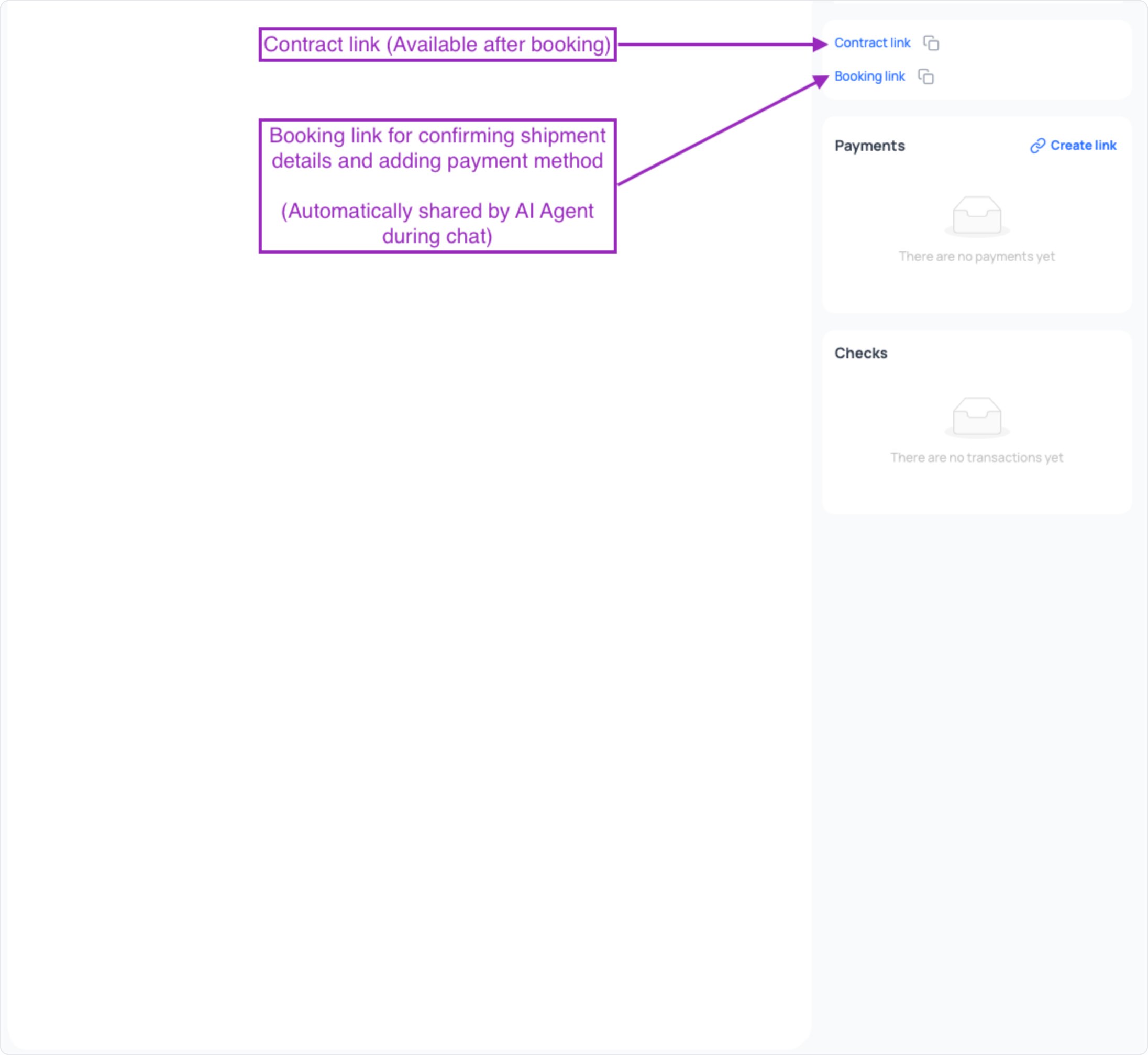
Booking tab — before booking
Booking tab — before booking
Booking tab — after booking
Booking tab — after booking
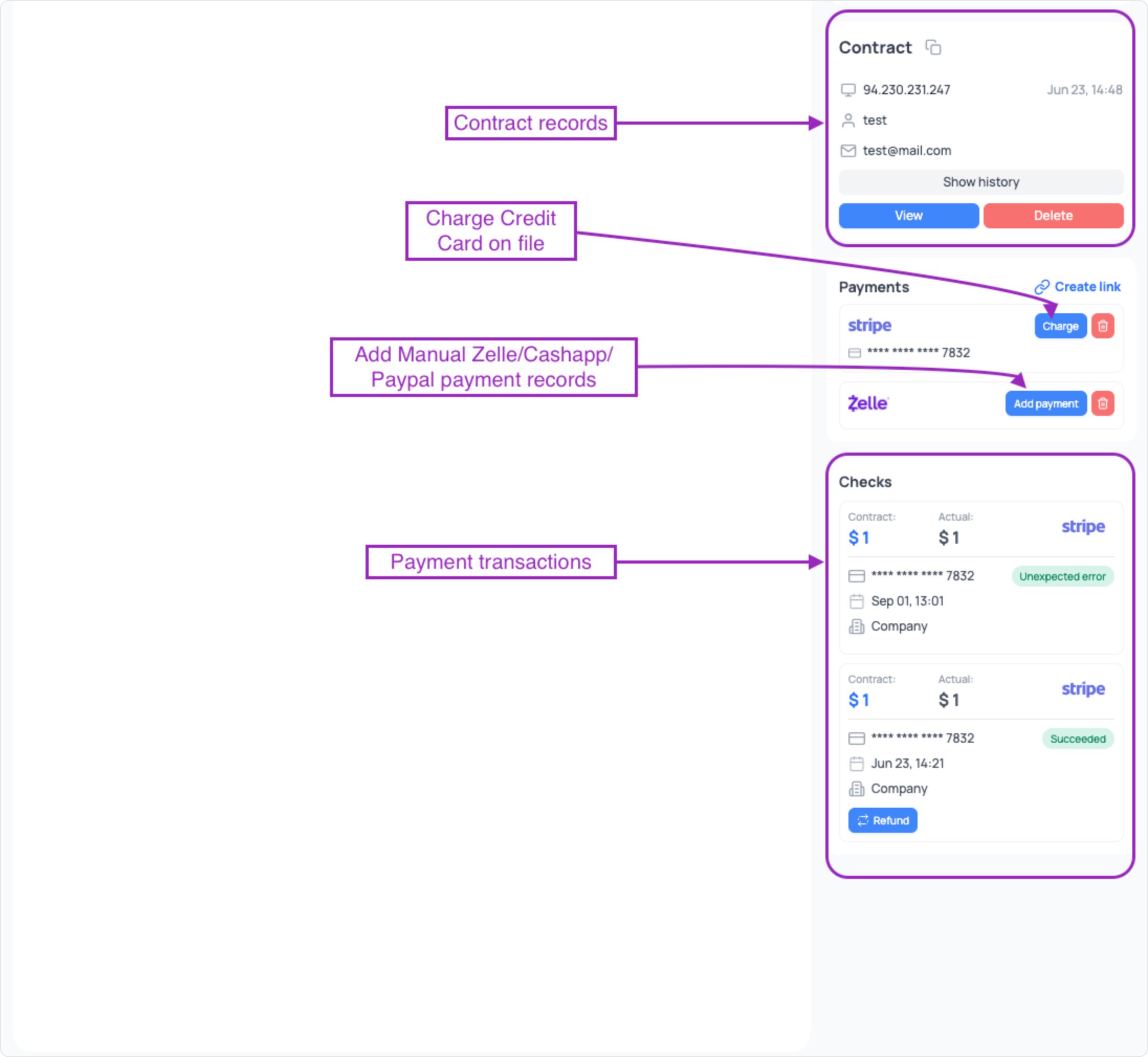
Carrier tab — before posting
Carrier tab — before posting
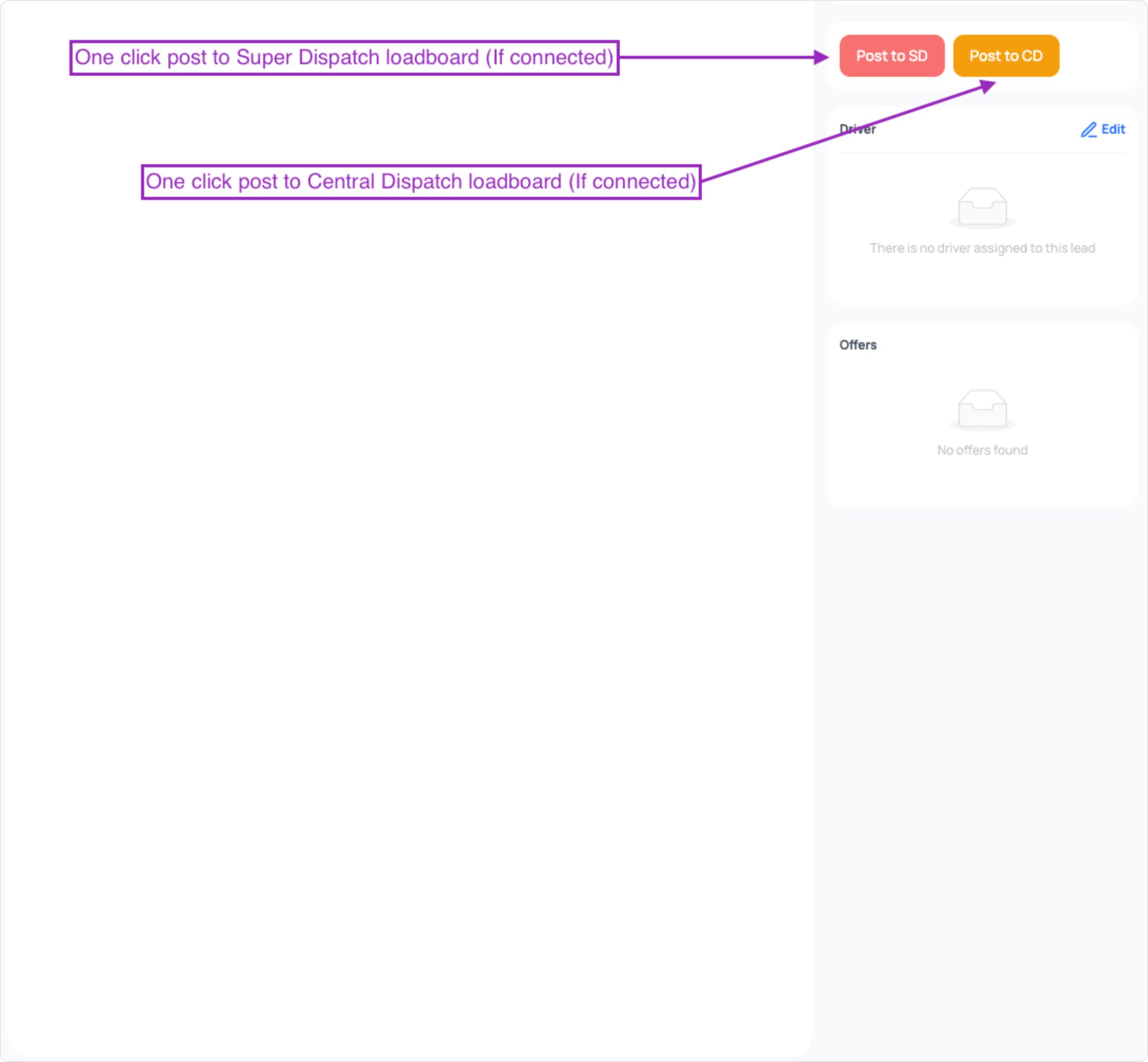
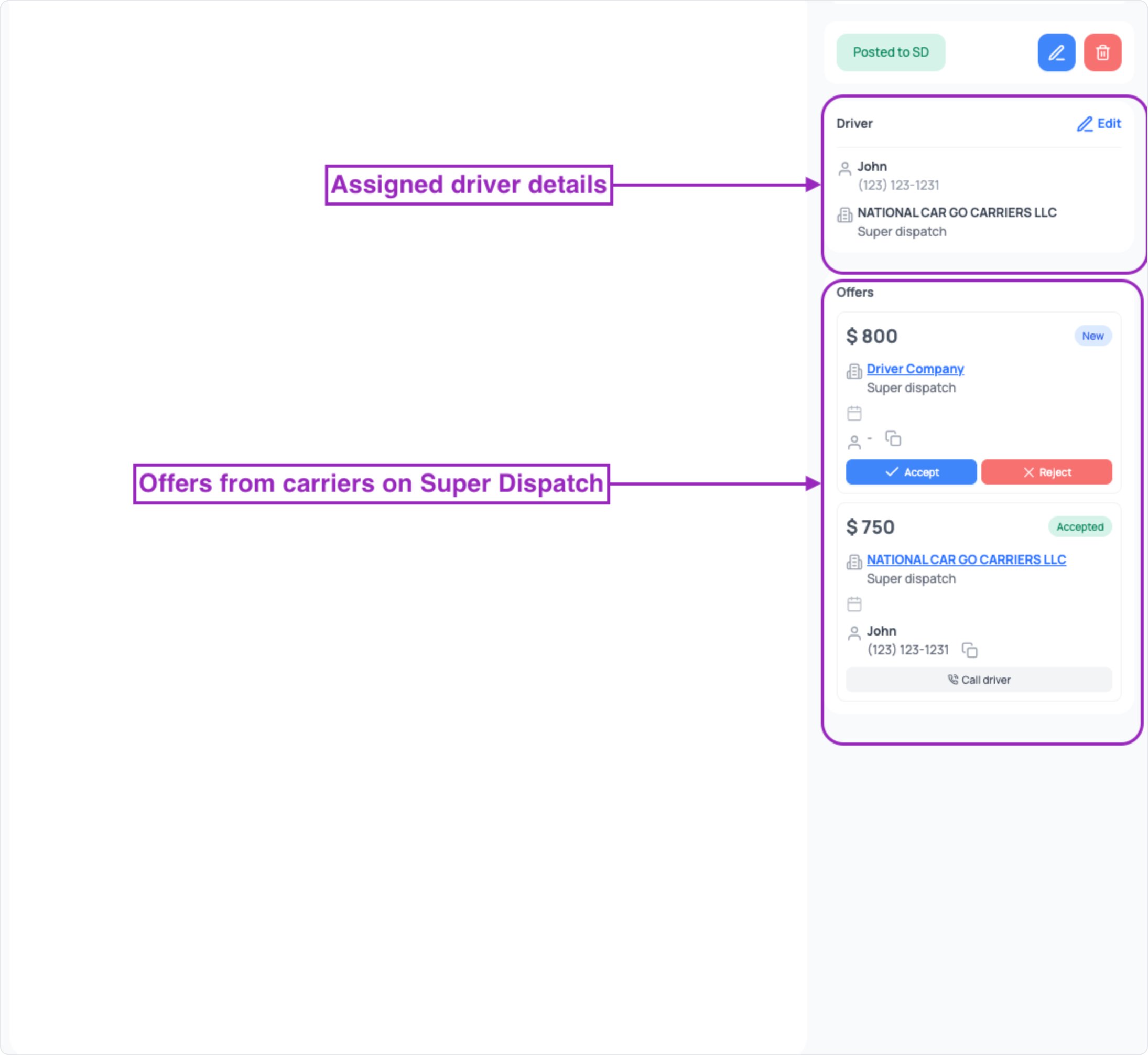
Carrier tab — after posting
Carrier tab — after posting