> ## Documentation Index
> Fetch the complete documentation index at: https://help.berocker.com/llms.txt
> Use this file to discover all available pages before exploring further.
# Interactions
> Calls and texts from numbers the CRM does not recognise yet — carriers, drivers and customers texting from a different phone.
When a call or text arrives from a number that does not match any lead, it does not vanish and it
does not get mixed into your customer threads. It lands in **Interactions**.
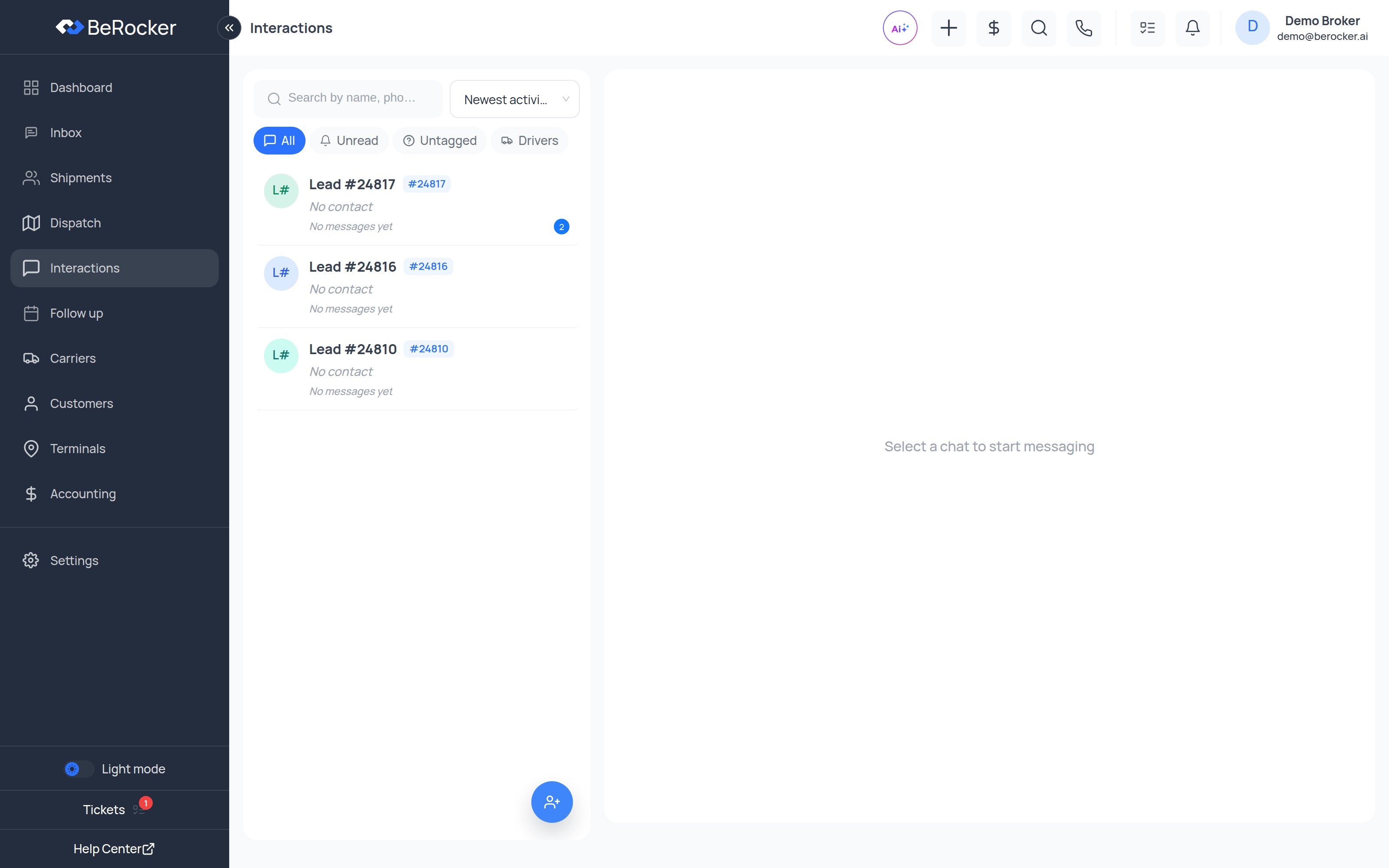 Typical arrivals:
* A **carrier or driver** calling about a load.
* A customer texting from their **second phone** or their spouse's phone.
* A wrong number, or a reply to a message that was forwarded on.
***
## The filters
| Tab | Shows |
| ------------ | -------------------------------------------------------------------- |
| **All** | Every unmatched conversation. |
| **Unread** | Only ones with messages nobody has read. |
| **Untagged** | Ones nobody has linked to a lead or driver yet — your working queue. |
| **Drivers** | Conversations already identified as a driver. |
Sort by **Recent** or **Oldest**, and search by number or message text.
***
## What to do with one
Open the conversation and you can:
You can text or call back from here exactly as you would in the Inbox — the whole thread,
recordings and transcripts included.
If it is a customer on a different phone, attach the conversation to their lead. It merges into
the lead's thread in the [Inbox](/using/inbox) and stops being "unknown".
If it is a driver, save them against the carrier. Future calls from that number arrive already
identified.
If it is a genuine new customer, create the shipment straight from the conversation instead of
re-typing everything.
Work the **Untagged** tab like an inbox. Every conversation you tag once saves you identifying that
number again.
***
## Notifications ending up here
If you set your personal notification SMS number or email to the *same* address you already use as
a customer-facing contact, your own notifications will arrive as unknown conversations and clutter
this screen.
Use a different number and email in **Settings → Notifications** — see
[Notifications](/settings/notifications).
***
## Related
Where a conversation goes once it is matched to a lead.
Save drivers against the carrier record.
Typical arrivals:
* A **carrier or driver** calling about a load.
* A customer texting from their **second phone** or their spouse's phone.
* A wrong number, or a reply to a message that was forwarded on.
***
## The filters
| Tab | Shows |
| ------------ | -------------------------------------------------------------------- |
| **All** | Every unmatched conversation. |
| **Unread** | Only ones with messages nobody has read. |
| **Untagged** | Ones nobody has linked to a lead or driver yet — your working queue. |
| **Drivers** | Conversations already identified as a driver. |
Sort by **Recent** or **Oldest**, and search by number or message text.
***
## What to do with one
Open the conversation and you can:
You can text or call back from here exactly as you would in the Inbox — the whole thread,
recordings and transcripts included.
If it is a customer on a different phone, attach the conversation to their lead. It merges into
the lead's thread in the [Inbox](/using/inbox) and stops being "unknown".
If it is a driver, save them against the carrier. Future calls from that number arrive already
identified.
If it is a genuine new customer, create the shipment straight from the conversation instead of
re-typing everything.
Work the **Untagged** tab like an inbox. Every conversation you tag once saves you identifying that
number again.
***
## Notifications ending up here
If you set your personal notification SMS number or email to the *same* address you already use as
a customer-facing contact, your own notifications will arrive as unknown conversations and clutter
this screen.
Use a different number and email in **Settings → Notifications** — see
[Notifications](/settings/notifications).
***
## Related
Where a conversation goes once it is matched to a lead.
Save drivers against the carrier record.