> ## Documentation Index
> Fetch the complete documentation index at: https://help.berocker.com/llms.txt
> Use this file to discover all available pages before exploring further.
# Customers
> Your customer book — people and businesses, their orders, contacts, notes and saved payment methods.
**Customers** is the person or company behind the shipments. One customer can have many orders, so
a repeat shipper is one record with a history rather than five unrelated leads.
 ***
## The list
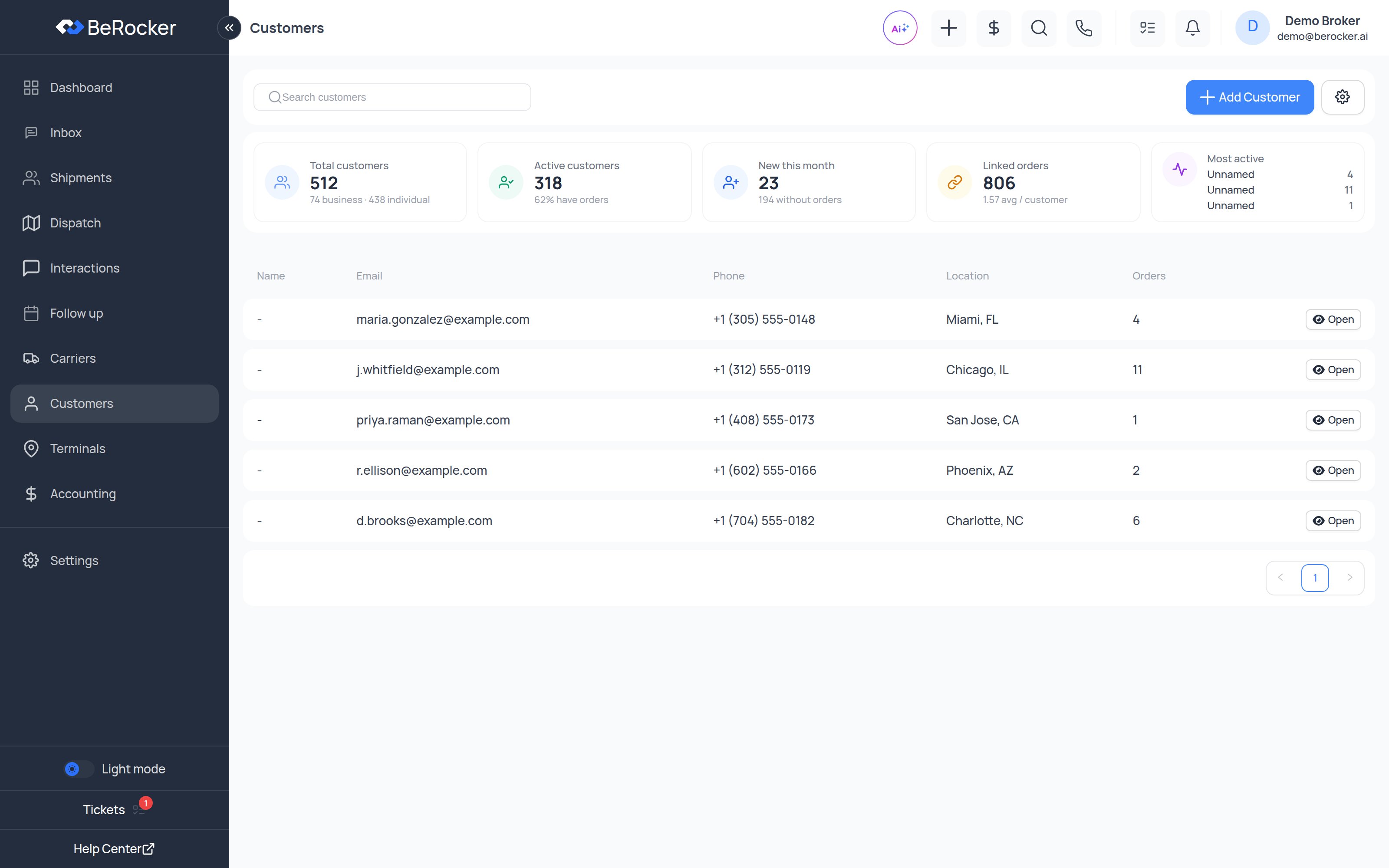
The stats strip counts your book: total customers, how many are **businesses** and how many are
**individuals**, new this month, how many have ordered and how many never have, total orders and
the average per customer — plus your top customers.
The table shows the display name, contact details, type, city and state, and order count. Search
by name, company, email or phone.
***
## Individual vs business
A customer is either an **individual** (first and last name) or a **business** (company name). A
business can hold several contacts — dispatcher, accounts payable, the person who actually answers
the phone — with one of them marked as the **main contact**.
***
## The customer profile
Every shipment this customer has booked, with the lane, dates and value. Open any of them
straight from here.
All the people at this customer. Add as many as you need and mark one as main.
Free-text notes your team can see — payment habits, preferred pickup windows, anything that
does not fit a field.
Saved payment methods and the payments this customer has made.
***
## Merging duplicates
The same person will eventually come in twice — once from your website and once from a provider.
Customers can be **merged**: BeRocker shows you a preview of exactly which field values survive on
the remaining record before you commit, and the orders from both come along.
***
## Importing customers
Bulk import is under **Settings → Lead Management → Import data**, alongside lead and terminal
import.
***
## Related
The orders themselves.
What each customer has actually paid.
***
## The list
The stats strip counts your book: total customers, how many are **businesses** and how many are
**individuals**, new this month, how many have ordered and how many never have, total orders and
the average per customer — plus your top customers.
The table shows the display name, contact details, type, city and state, and order count. Search
by name, company, email or phone.
***
## Individual vs business
A customer is either an **individual** (first and last name) or a **business** (company name). A
business can hold several contacts — dispatcher, accounts payable, the person who actually answers
the phone — with one of them marked as the **main contact**.
***
## The customer profile
Every shipment this customer has booked, with the lane, dates and value. Open any of them
straight from here.
All the people at this customer. Add as many as you need and mark one as main.
Free-text notes your team can see — payment habits, preferred pickup windows, anything that
does not fit a field.
Saved payment methods and the payments this customer has made.
***
## Merging duplicates
The same person will eventually come in twice — once from your website and once from a provider.
Customers can be **merged**: BeRocker shows you a preview of exactly which field values survive on
the remaining record before you commit, and the orders from both come along.
***
## Importing customers
Bulk import is under **Settings → Lead Management → Import data**, alongside lead and terminal
import.
***
## Related
The orders themselves.
What each customer has actually paid.