> ## Documentation Index
> Fetch the complete documentation index at: https://help.berocker.com/llms.txt
> Use this file to discover all available pages before exploring further.
# Billing and subscriptions
> See your subscription and seat count, update the card on file, download receipts and request a cancellation.
**Settings → Billing & Subscriptions** shows what you are paying for and lets you keep the card on
file current.
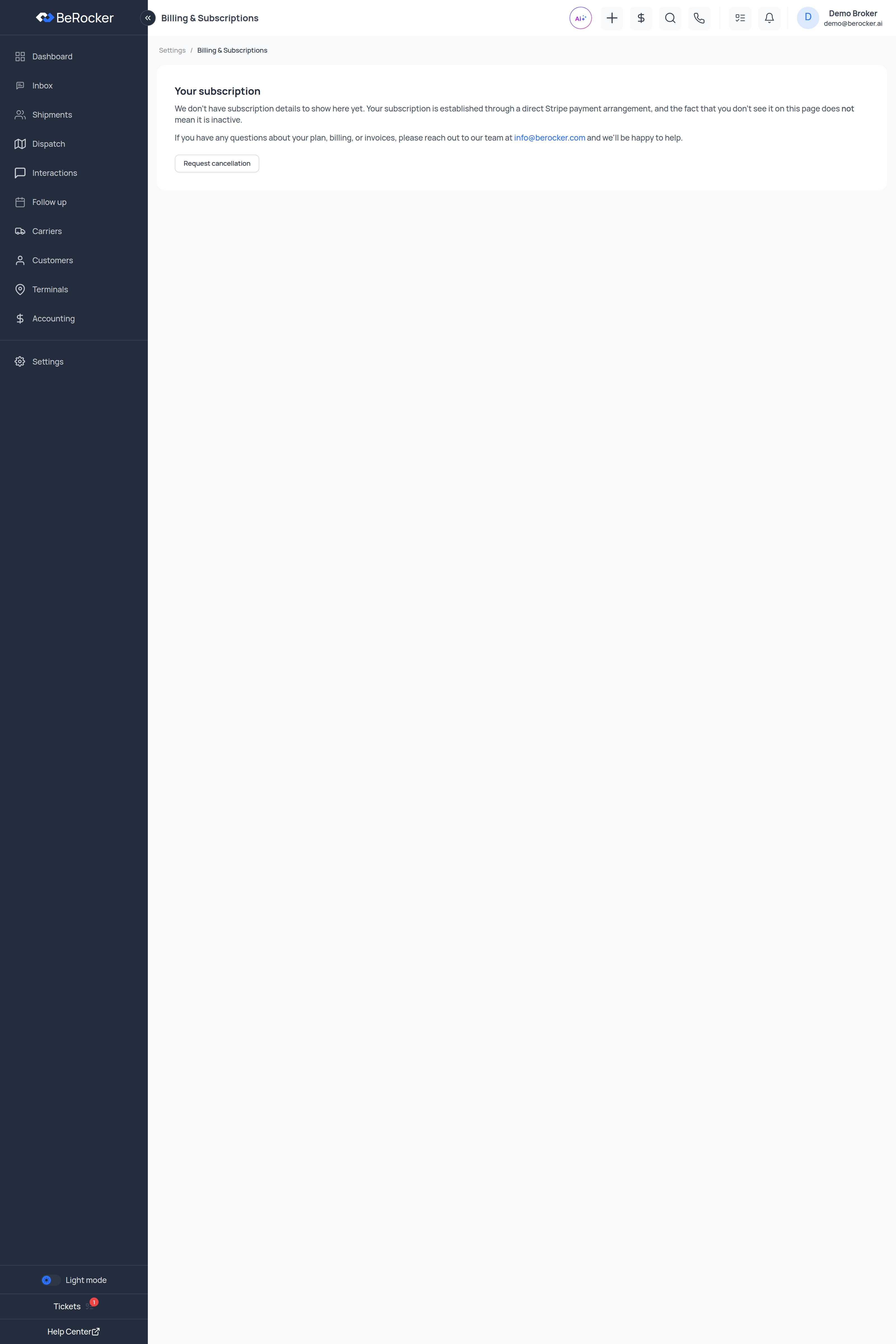 What you see here depends on how your account is billed. There are three cases:
* **Self-serve subscription** — the full page below: seats, estimated monthly, card on file and
payment history.
* **Direct arrangement** — you will see *"We don't have subscription details to show here yet.
Your subscription is established through a direct Stripe payment arrangement, and the fact that
you don't see it on this page does not mean it is inactive."* Nothing is wrong; billing is
handled outside the app. Questions go to `info@berocker.com`.
* **Billing switched off** — *"Subscription billing is currently turned off for your account."*
Nothing to do here.
***
## Your subscription
On a self-serve subscription you get:
| Line | What it is |
| ------------------------ | ----------------------------------------- |
| **Base license** | The flat monthly fee for the account. |
| **Per user** | The per-seat price, per user per month. |
| **Seats (active users)** | How many active users you have right now. |
| **Estimated monthly** | Base + (per user × seats). |
Seats count **active users**. Adding a user in
[Team and security](/settings/team-and-security) changes what you pay. When someone leaves,
deactivate them rather than leaving the account sitting there.
***
## Subscription states
| Badge | Meaning |
| ------------------- | ----------------------------------------------- |
| **On trial** | Inside the trial window; the end date is shown. |
| **Trial expired** | Trial is over and no subscription has started. |
| **Active** | Paid and current. |
| **Past due** | A payment failed. Update the card. |
| **Canceled** | The subscription has ended. |
| **No subscription** | Nothing set up yet. |
**Past due** is the one to act on today. Update the card on file before the grace window closes.
***
## Update card on file
Opens a secure card form. The card details go straight to the payment processor — BeRocker never
stores your card number.
Use it when the card expires, the bank reissues it, or a payment fails.
***
## Payment history
Every processed payment, with a **Receipt** link on each row. Draft and unpaid invoices are not
listed, so everything here is money that actually moved.
***
## Request cancellation
Sends a cancellation request to the BeRocker team rather than switching your account off on the
spot — so nobody loses access to live loads by mis-clicking. Someone will confirm before anything
changes.
***
## Related
Seat count comes from here.
Anything billing-related a page cannot answer.
What you see here depends on how your account is billed. There are three cases:
* **Self-serve subscription** — the full page below: seats, estimated monthly, card on file and
payment history.
* **Direct arrangement** — you will see *"We don't have subscription details to show here yet.
Your subscription is established through a direct Stripe payment arrangement, and the fact that
you don't see it on this page does not mean it is inactive."* Nothing is wrong; billing is
handled outside the app. Questions go to `info@berocker.com`.
* **Billing switched off** — *"Subscription billing is currently turned off for your account."*
Nothing to do here.
***
## Your subscription
On a self-serve subscription you get:
| Line | What it is |
| ------------------------ | ----------------------------------------- |
| **Base license** | The flat monthly fee for the account. |
| **Per user** | The per-seat price, per user per month. |
| **Seats (active users)** | How many active users you have right now. |
| **Estimated monthly** | Base + (per user × seats). |
Seats count **active users**. Adding a user in
[Team and security](/settings/team-and-security) changes what you pay. When someone leaves,
deactivate them rather than leaving the account sitting there.
***
## Subscription states
| Badge | Meaning |
| ------------------- | ----------------------------------------------- |
| **On trial** | Inside the trial window; the end date is shown. |
| **Trial expired** | Trial is over and no subscription has started. |
| **Active** | Paid and current. |
| **Past due** | A payment failed. Update the card. |
| **Canceled** | The subscription has ended. |
| **No subscription** | Nothing set up yet. |
**Past due** is the one to act on today. Update the card on file before the grace window closes.
***
## Update card on file
Opens a secure card form. The card details go straight to the payment processor — BeRocker never
stores your card number.
Use it when the card expires, the bank reissues it, or a payment fails.
***
## Payment history
Every processed payment, with a **Receipt** link on each row. Draft and unpaid invoices are not
listed, so everything here is money that actually moved.
***
## Request cancellation
Sends a cancellation request to the BeRocker team rather than switching your account off on the
spot — so nobody loses access to live loads by mis-clicking. Someone will confirm before anything
changes.
***
## Related
Seat count comes from here.
Anything billing-related a page cannot answer.