> ## Documentation Index
> Fetch the complete documentation index at: https://help.berocker.com/llms.txt
> Use this file to discover all available pages before exploring further.

# STEP 2: Setup Profile and Phone numbers

<iframe className="w-full aspect-video rounded-xl" src="https://www.youtube.com/embed/kMyceZikUu4" title="YouTube video player" frameBorder="0" allow="accelerometer; autoplay; clipboard-write; encrypted-media; gyroscope; picture-in-picture" allowFullScreen />

2 Factor Authentication is optional.

## Ring Central - Establish Integration

Once you have added your phone numbers for SMS and Calling, please click on the Register button next to your numbers for connecting with Ring Central
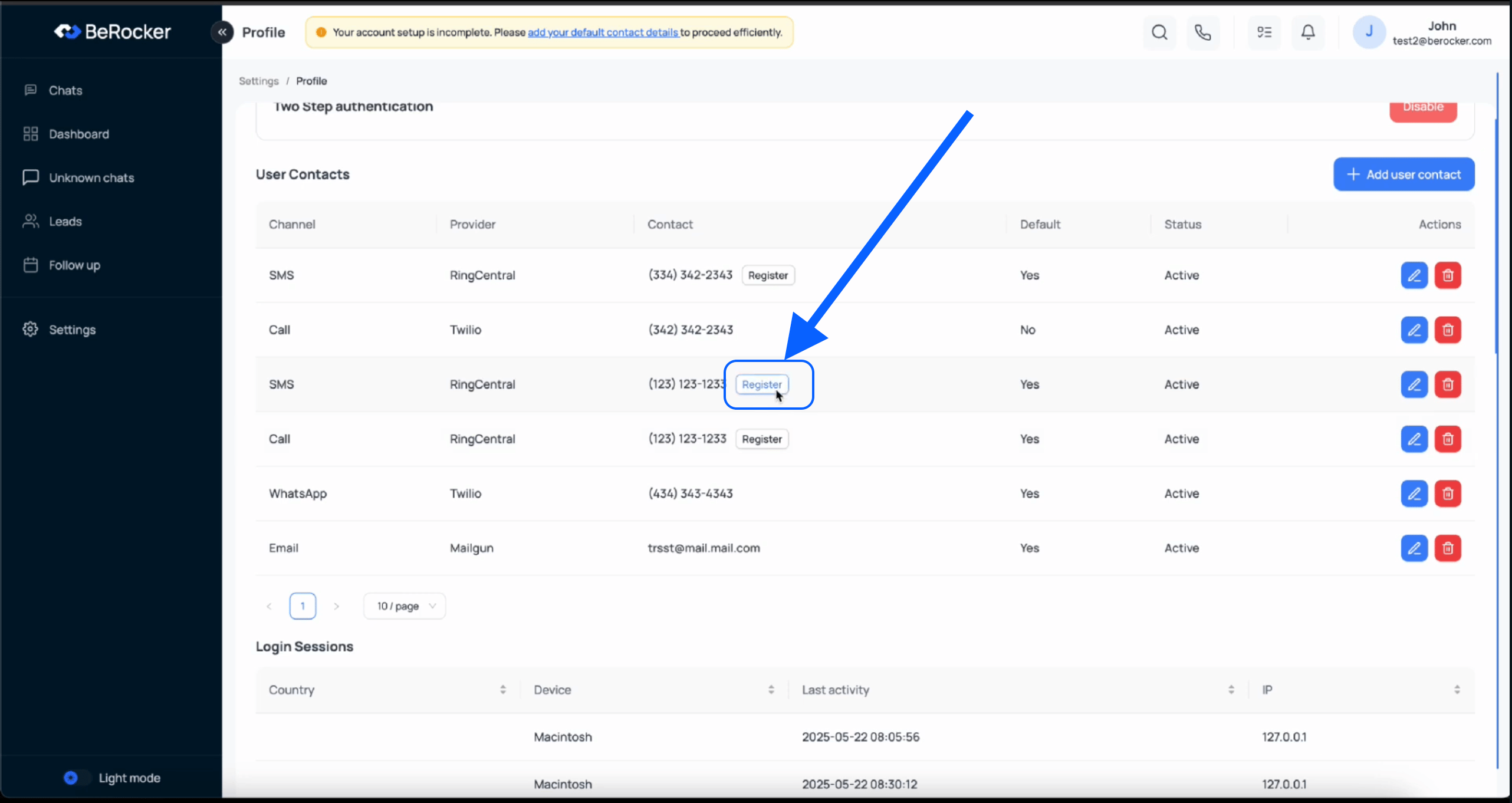
<img src="https://mintcdn.com/berocker/tVqDWaUPeacZwvU4/images/steps/rc-register.png?fit=max&auto=format&n=tVqDWaUPeacZwvU4&q=85&s=3803647f518803cd0040d6a108a97cc1" alt="RC Register" width="2564" height="1362" data-path="images/steps/rc-register.png" />
