> ## Documentation Index
> Fetch the complete documentation index at: https://help.berocker.com/llms.txt
> Use this file to discover all available pages before exploring further.

# Add user in Vonage API dashboard

# How to add a developer to Vonage account

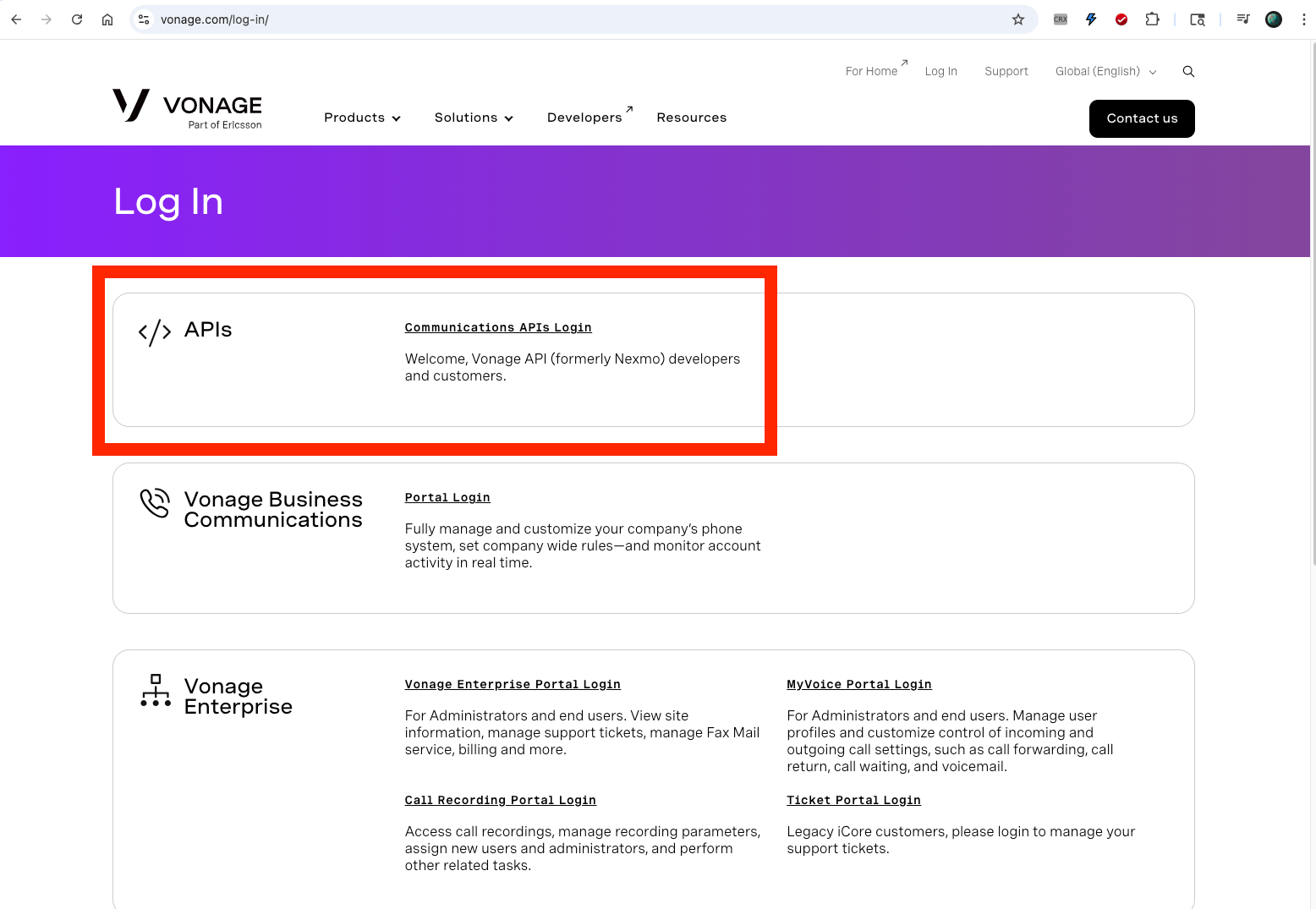
## 1. Login to your Vonage account - Communications APIs
<img src="https://mintcdn.com/berocker/9tBWWiwEfwVnSq3P/images/vonage/vonage-1.png?fit=max&auto=format&n=9tBWWiwEfwVnSq3P&q=85&s=d6a32e70f4ad2002f8b762ea497c6de2" alt="enter image description here" width="1556" height="1075" data-path="images/vonage/vonage-1.png" />

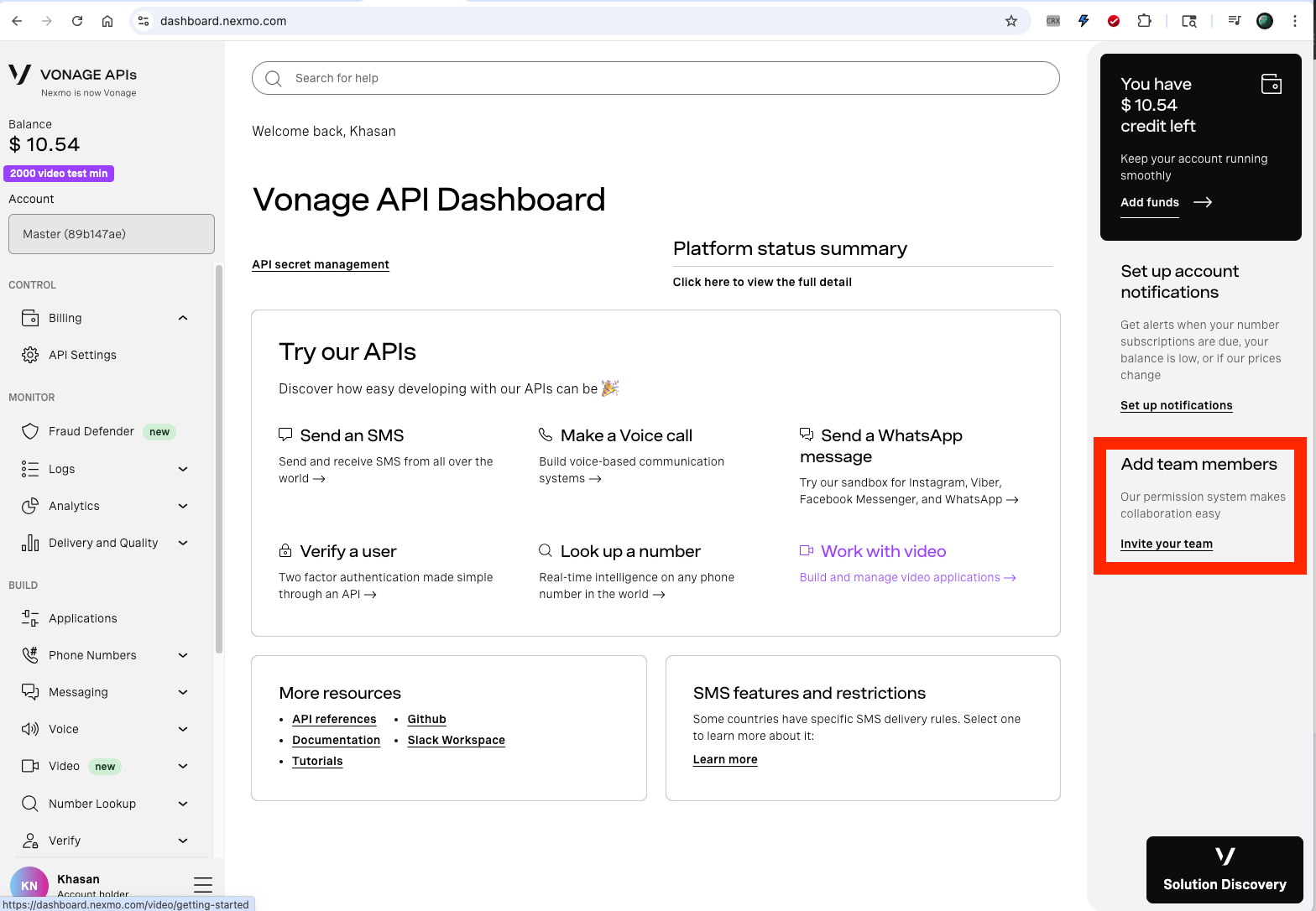
## 2. Go to Home page and click on "Invite your team"
<img src="https://mintcdn.com/berocker/9tBWWiwEfwVnSq3P/images/vonage/vonage-2.png?fit=max&auto=format&n=9tBWWiwEfwVnSq3P&q=85&s=2abdda0c7afdad03092dffa5a637aba3" alt="enter image description here" width="1568" height="1086" data-path="images/vonage/vonage-2.png" />

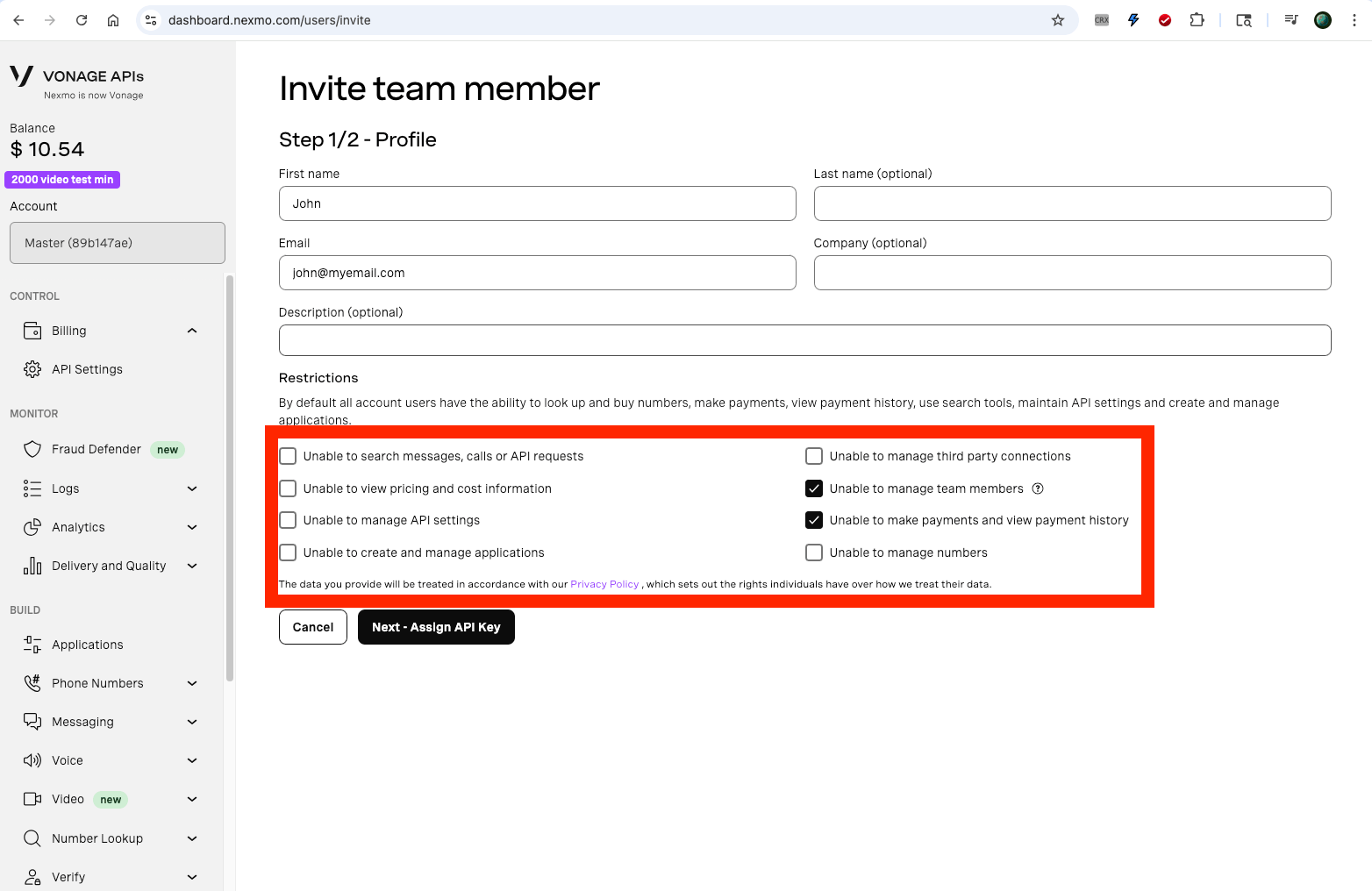
## 3. Add a user with the following permissions
<img src="https://mintcdn.com/berocker/9tBWWiwEfwVnSq3P/images/vonage/vonage-3.png?fit=max&auto=format&n=9tBWWiwEfwVnSq3P&q=85&s=856339c368bd3b6a3c754ebce32b5875" alt="enter image description here" width="1564" height="1016" data-path="images/vonage/vonage-3.png" />
