> ## Documentation Index
> Fetch the complete documentation index at: https://help.berocker.com/llms.txt
> Use this file to discover all available pages before exploring further.
# Integrating with Super Dispatch
 ## Super Dispatch API Access
To get access to the **Super Dispatch API**, first ensure API access is included in your subscription, then request credentials from their support team.
### How to Obtain API Access
The **Shipper API** is normally available for *\$250/month*. When used through BeRocker, this fee
is waived — giving you full API access at **no additional cost**.
Contact Super Dispatch technical support to receive your `ClientID` and `ClientSecret`.
### Contact Super Dispatch Support
* Email: `support@superdispatch.com`
* Phone: `+1 (816) 974-7002`
* In-App: Use the chat icon in the bottom-right corner of the Carrier TMS or Shipper TMS dashboard.
### Add Credentials in BeRocker
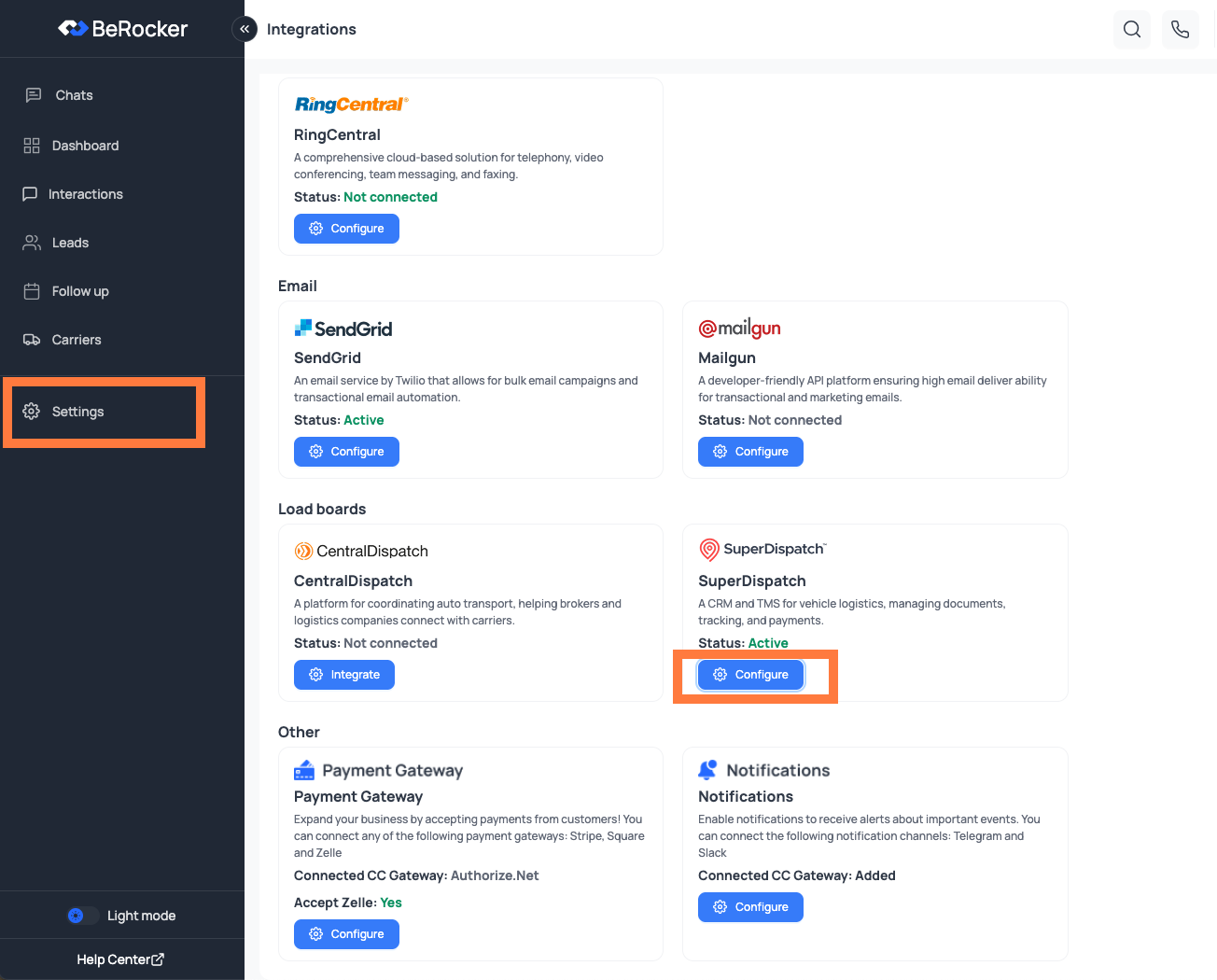
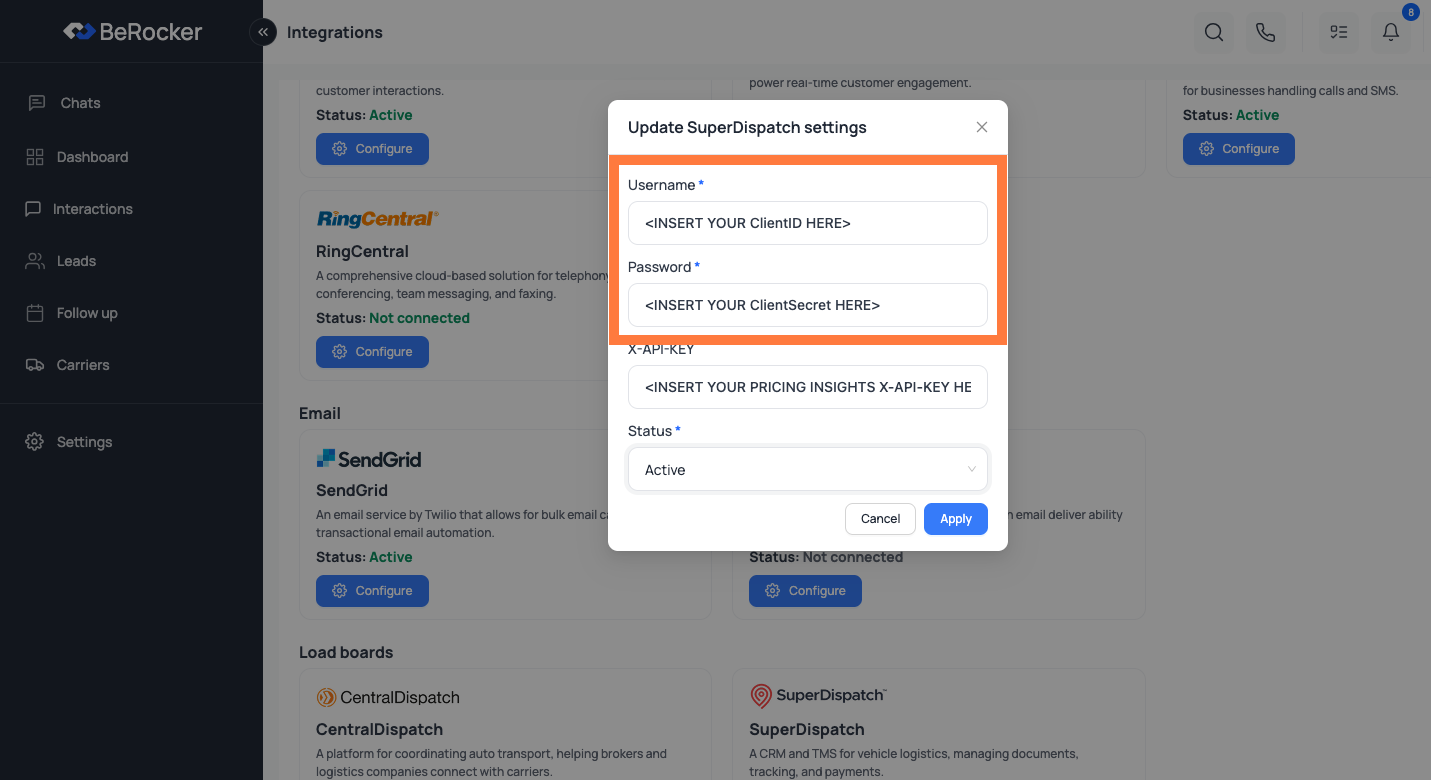
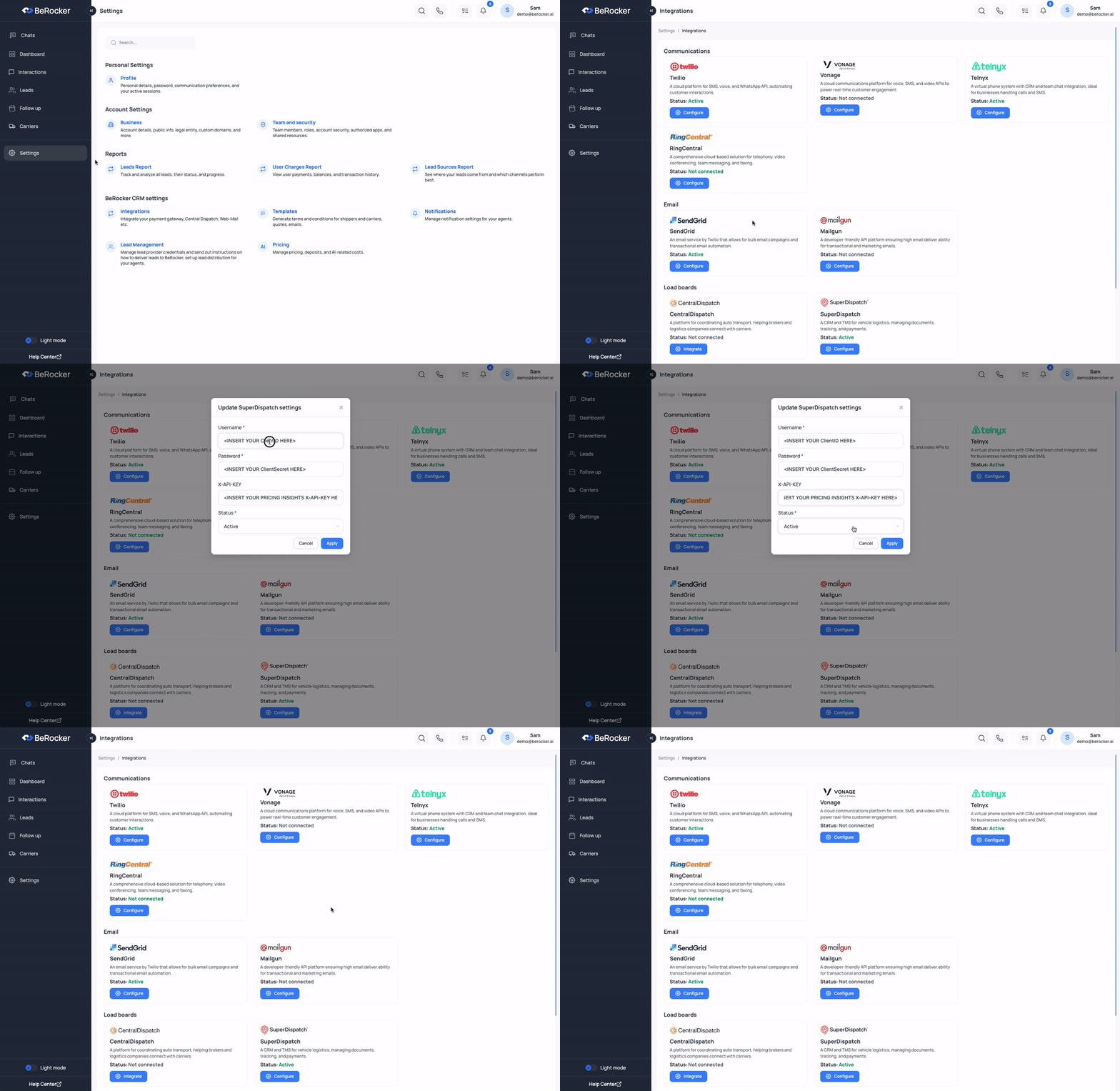
In BeRocker, go to `Settings -> Integrations -> Super Dispatch`.
Map the fields as follows:
* **Username**: Enter your `ClientID`
* **Password**: Enter your `ClientSecret`
## Super Dispatch API Access
To get access to the **Super Dispatch API**, first ensure API access is included in your subscription, then request credentials from their support team.
### How to Obtain API Access
The **Shipper API** is normally available for *\$250/month*. When used through BeRocker, this fee
is waived — giving you full API access at **no additional cost**.
Contact Super Dispatch technical support to receive your `ClientID` and `ClientSecret`.
### Contact Super Dispatch Support
* Email: `support@superdispatch.com`
* Phone: `+1 (816) 974-7002`
* In-App: Use the chat icon in the bottom-right corner of the Carrier TMS or Shipper TMS dashboard.
### Add Credentials in BeRocker
In BeRocker, go to `Settings -> Integrations -> Super Dispatch`.
Map the fields as follows:
* **Username**: Enter your `ClientID`
* **Password**: Enter your `ClientSecret`
 ### Pricing Insights (Optional)
`X-API-KEY` is used for Super Dispatch Pricing Insights service.
If you have this subscription (or want to request it), contact Super Dispatch using the same support channels above, then enter your key in the `X-API-KEY` field.
### Integration Walkthrough
### Pricing Insights (Optional)
`X-API-KEY` is used for Super Dispatch Pricing Insights service.
If you have this subscription (or want to request it), contact Super Dispatch using the same support channels above, then enter your key in the `X-API-KEY` field.
### Integration Walkthrough
 We value the work Super Dispatch does for the industry and are proud to integrate with their
platform.
## Need Help?
If you have any questions, contact the BeRocker team through your Slack support channel, call `302-313-0966`, or email `info@berocker.com`.
We value the work Super Dispatch does for the industry and are proud to integrate with their
platform.
## Need Help?
If you have any questions, contact the BeRocker team through your Slack support channel, call `302-313-0966`, or email `info@berocker.com`.