> ## Documentation Index
> Fetch the complete documentation index at: https://help.berocker.com/llms.txt
> Use this file to discover all available pages before exploring further.
# Integrating with Central Dispatch
 Central Dispatch can be connected to BeRocker in just a few steps so your team can start posting loads directly from the CRM.
We value the work Central Dispatch does for the industry and are proud to integrate with their
platform.
## Before You Start
Make sure your Central Dispatch account is on the **Premium** plan.
* The Central Dispatch API requires the **Premium** plan.
* The **Core** plan is not enough for full platform functionality.
* If you are currently on Core, upgrade to Premium before connecting in BeRocker.
## Connect Central Dispatch to BeRocker
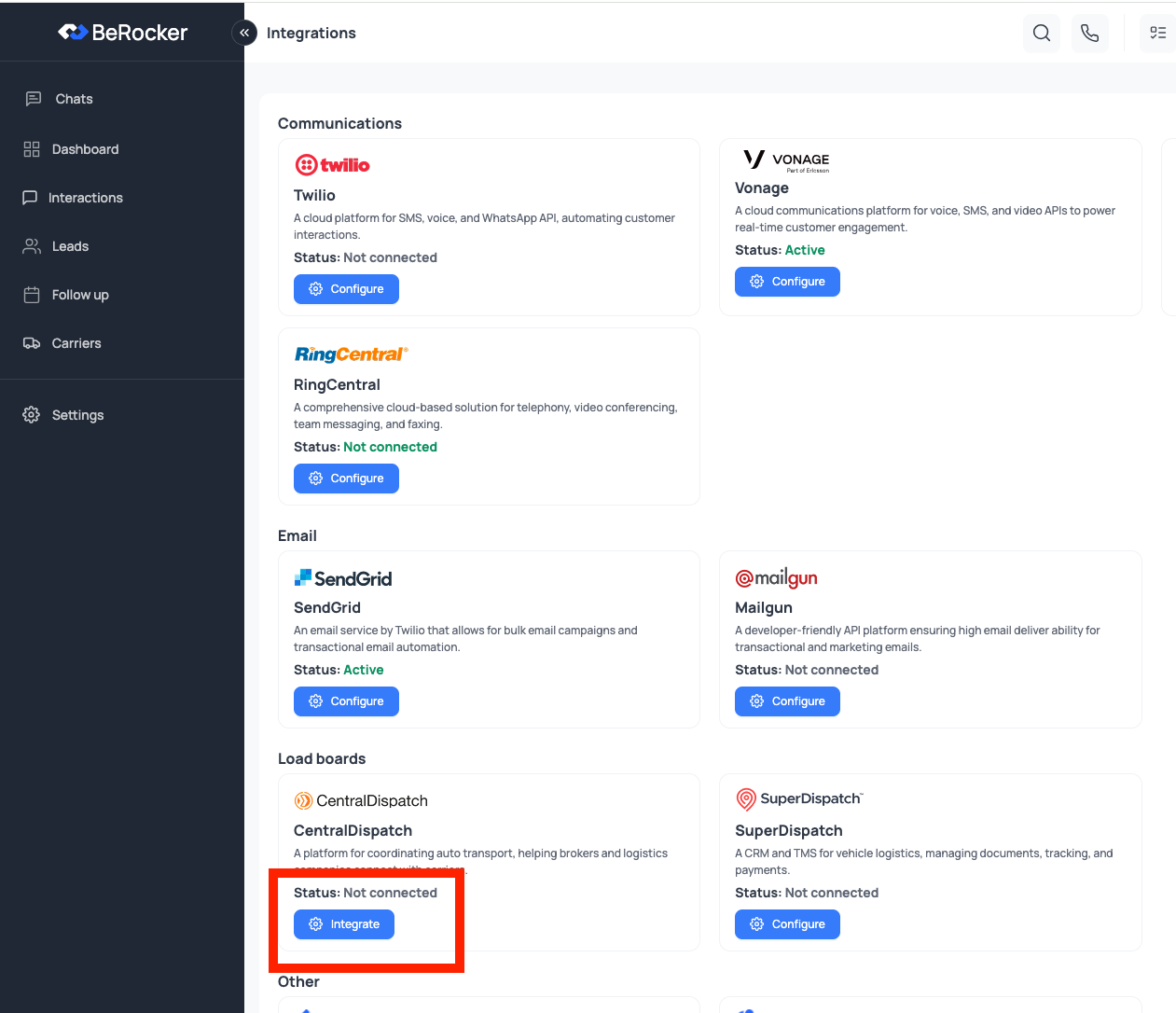
In BeRocker CRM, go to `Settings -> Integrations`.
In the **Central Dispatch** section, click **Integrate**.
Central Dispatch can be connected to BeRocker in just a few steps so your team can start posting loads directly from the CRM.
We value the work Central Dispatch does for the industry and are proud to integrate with their
platform.
## Before You Start
Make sure your Central Dispatch account is on the **Premium** plan.
* The Central Dispatch API requires the **Premium** plan.
* The **Core** plan is not enough for full platform functionality.
* If you are currently on Core, upgrade to Premium before connecting in BeRocker.
## Connect Central Dispatch to BeRocker
In BeRocker CRM, go to `Settings -> Integrations`.
In the **Central Dispatch** section, click **Integrate**.
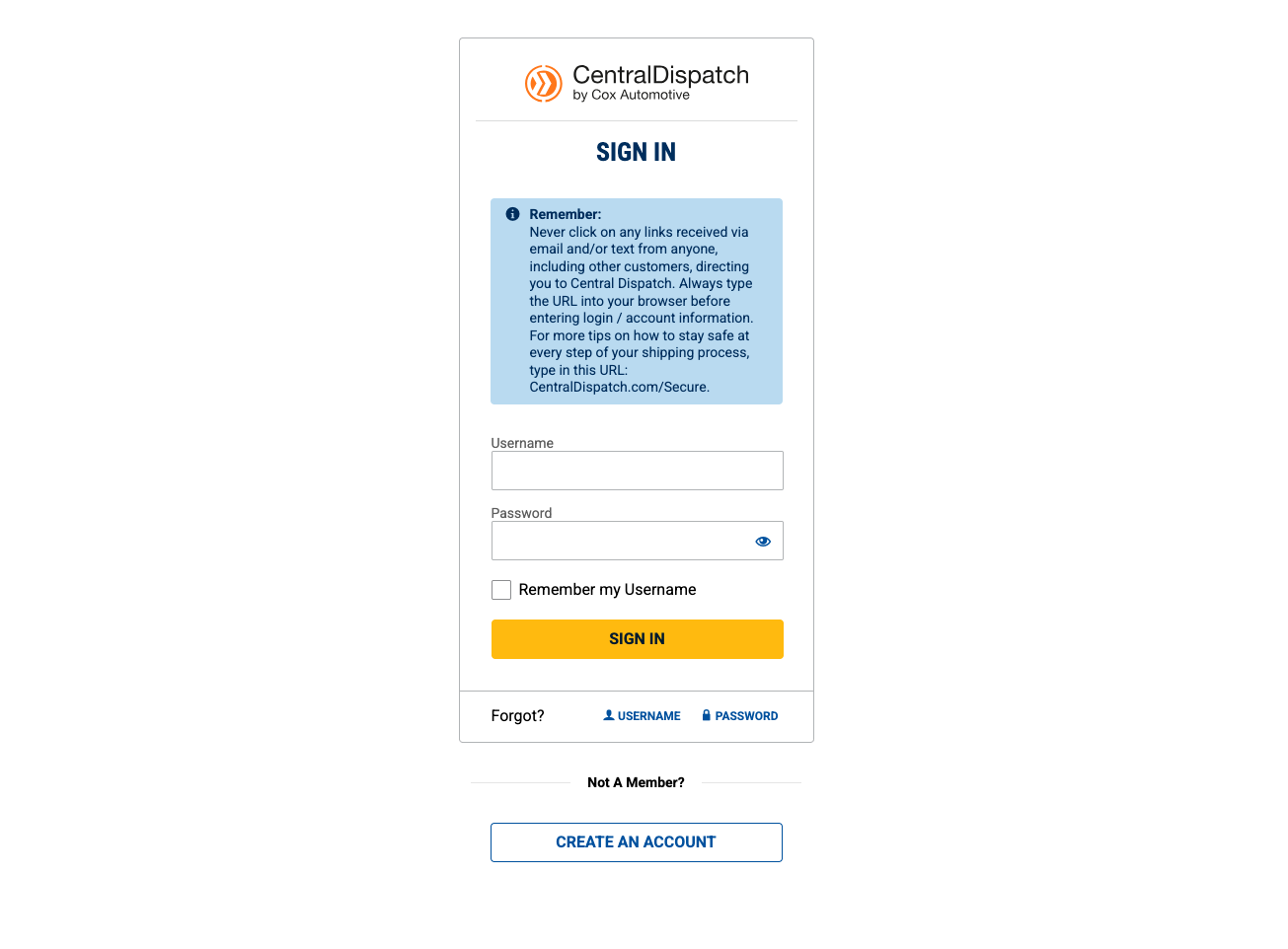
 After clicking **Integrate**, you will be redirected to the Central Dispatch OAuth login page.
Enter your Central Dispatch load board credentials and complete sign-in.
After clicking **Integrate**, you will be redirected to the Central Dispatch OAuth login page.
Enter your Central Dispatch load board credentials and complete sign-in.
 After successful login, Central Dispatch redirects you back to BeRocker automatically.
Your integration is now complete, and you can start posting to Central Dispatch.
## Central Dispatch Support
If you encounter any issues with Central Dispatch or are interested in an Enterprise solution, contact the Central Dispatch team directly:
* Phone: `800-928-7869`
* Enterprise inquiries: [Fill out their contact form](https://www.centraldispatch.com/contact-us) to receive a response within 1-2 business days.
## Need Help?
If you have any questions, contact the BeRocker team through your Slack support channel, call `302-313-0966`, or email `info@berocker.com`.
After successful login, Central Dispatch redirects you back to BeRocker automatically.
Your integration is now complete, and you can start posting to Central Dispatch.
## Central Dispatch Support
If you encounter any issues with Central Dispatch or are interested in an Enterprise solution, contact the Central Dispatch team directly:
* Phone: `800-928-7869`
* Enterprise inquiries: [Fill out their contact form](https://www.centraldispatch.com/contact-us) to receive a response within 1-2 business days.
## Need Help?
If you have any questions, contact the BeRocker team through your Slack support channel, call `302-313-0966`, or email `info@berocker.com`.